Browse Samsung's Curved Monitor Range


Filters
Filters


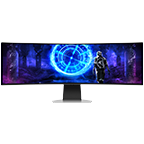
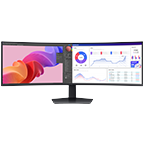
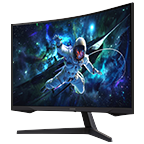
Samsung’s curved monitors are built to pull you into what’s on screen. The curved screen wraps around your field of view for a wider, more immersive picture, whether you’re gaming, watching videos or working on creative projects.
Fast refresh rates help reduce lag and motion blur, and select models add AMD FreeSync support to reduce screen tearing. Eye Saver Mode and flicker-free technology help keep long sessions comfortable. Choose between Odyssey curved gaming monitors and Essential monitors, then compare the options to find the right curved monitor for your setup.
-
What is a curved monitor?A curved monitor has a screen that bends gently around you, so the picture wraps around your field of view instead of sitting flat in front of you. This creates a wider, more immersive view that suits gaming, watching videos and creative work.
-
Are curved monitors good for gaming?Yes. The curve fills more of your peripheral vision and draws you closer to the action. Samsung’s Odyssey gaming monitors pair it with fast refresh rates and AMD FreeSync support to reduce lag, blur and screen tearing. Select curved models also include a Game Mode that adjusts colour and contrast so you can see more detail in dark scenes.
-
Is a curved monitor good for work?Yes. The wrap-around view helps you stay focused on what’s on screen. Eye Saver Mode and flicker-free technology are designed to minimise blue light and screen flicker, so long sessions are more comfortable.
-
What does 1000R or 1500R mean on a curved monitor?The “R” number is the curvature radius in millimetres. A 1000R screen curves like part of a circle with a 1000mm radius. The lower the number, the tighter the curve. Samsung’s curved monitors come in different curvatures, so check each model’s specifications or read our Monitor Buying Guide to compare.
-
Should I choose a curved or flat monitor?It depends on how you use it. A curved monitor suits immersive gaming, films and wide-view setups. A flat monitor can be easier for precise layout and design work with straight lines. If you’re still deciding, our Help me choose my monitor tool can narrow it down.
-
Do all Samsung curved monitors support AMD FreeSync?No. Many Samsung curved gaming monitors, including Odyssey models, support AMD FreeSync to keep the monitor and graphics card in sync and reduce screen tearing. Not every curved monitor includes it, so check the specifications of the model you’re considering.
-
How do I connect a Samsung curved monitor to my PC?Samsung curved monitors connect to a PC, laptop or games console with an HDMI cable, and select models also offer DisplayPort. Check the ports listed in each model’s specifications to make sure they match your device.
* Key feature may different from Key Spec.
* Images are for illustration purposes only and the accessories are sold separately.
* Features and specifications are subject to change without prior notification and may vary per country, please check in store for more details.