


Samsung Galaxy XR
Worlds Wide Open
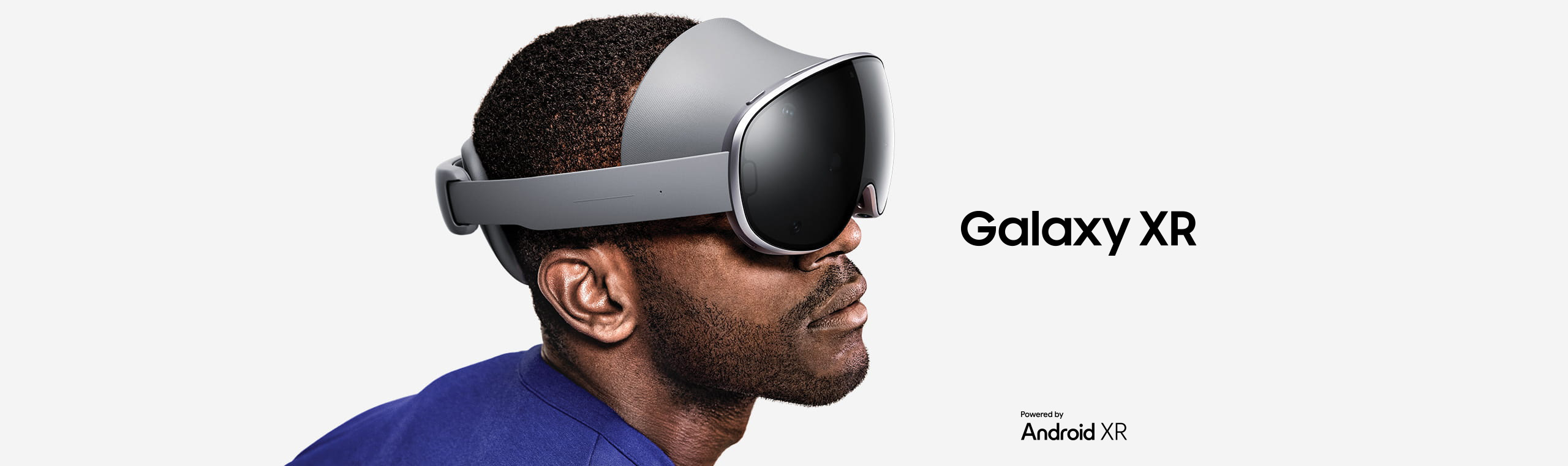
Enter a new era of immersive experiences with Galaxy XR powered by Android XR. With multimodal AI that sees, hears and communicates with you, Galaxy XR delivers seamless interactivity that feels natural and human. Together, unlock whole new worlds to play and discover beyond boundaries.
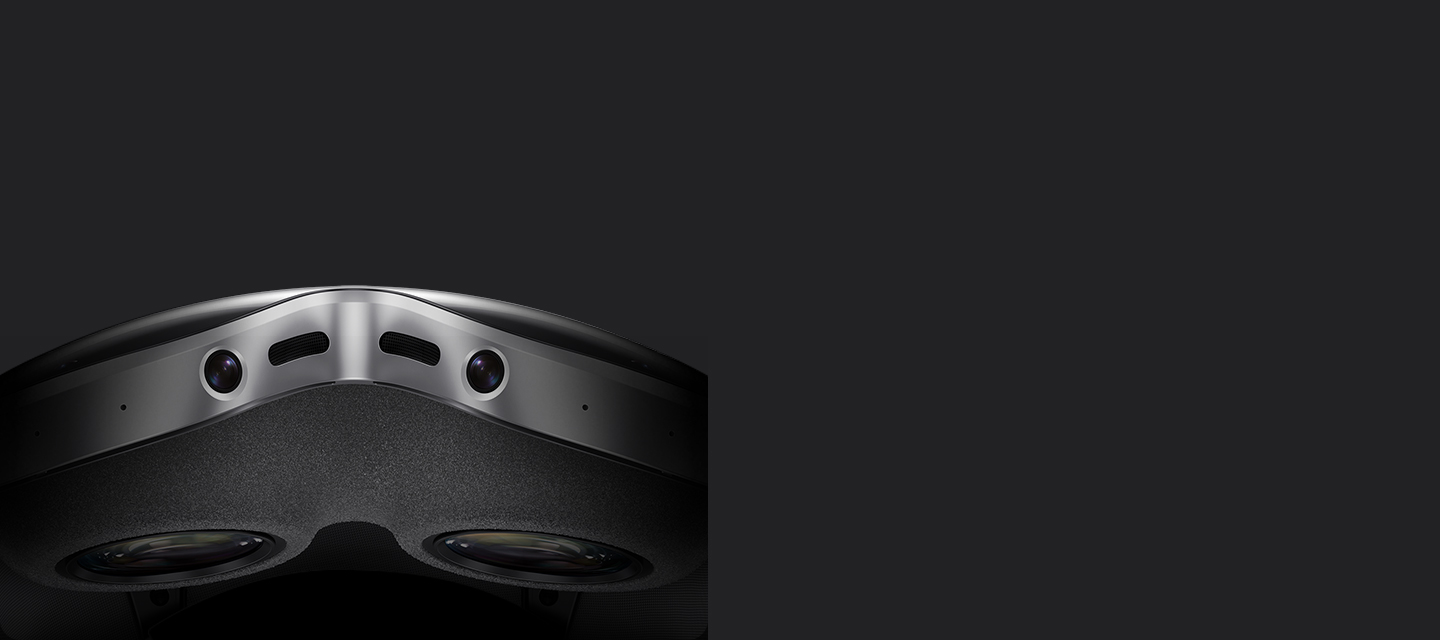
Galaxy XR slowly appears with a close-up of the Visor window on the front of the device. The device turns horizontally to showcase the right Side band, then the Rear fit dial on the back, followed by a close-up of the lenses and the display on the front inner part of the device behind the Visor window. Then, the device turns to show the Power connector on the left Side band, and again to the front to highlight the six cameras on the Visor window.


Galaxy XR slowly appears with a close-up of the Visor window on the front of the device. The device turns horizontally to showcase the right Side band, then the Rear fit dial on the back, followed by a close-up of the lenses and the display on the front inner part of the device behind the Visor window. Then, the device turns to show the Power connector on the left Side band, and again to the front to highlight the six cameras on the Visor window.
Discover and play
without boundaries
The best seat is anywhere you are
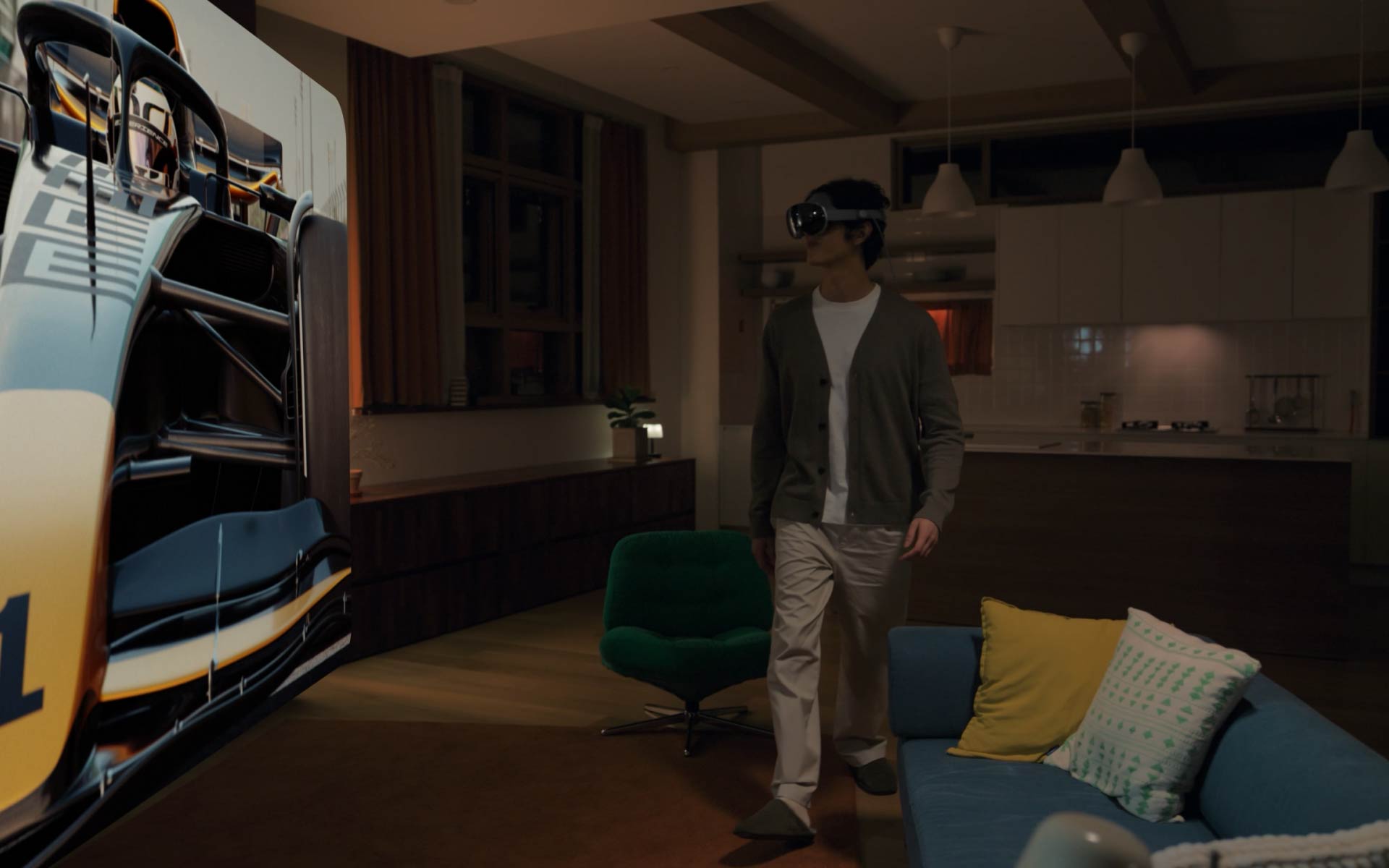
A young man wearing Galaxy XR sits on a sofa in the living room while watching an F1 racing competition on the expansive screen of Galaxy XR in front of him. Rear view of the man on the sofa watching an F1 car racing at high speed on the screen of Galaxy XR. Close-up of the man wearing Galaxy XR immersed in the hyper-realistic view. The man is standing in the living room wearing Galaxy XR and using Galaxy XR Controllers to play a tennis game against a virtual opponent on Galaxy XR, in which the movement of the tennis racquet corresponds to the movement of the Controllers.
All your memories in
immersive 3D
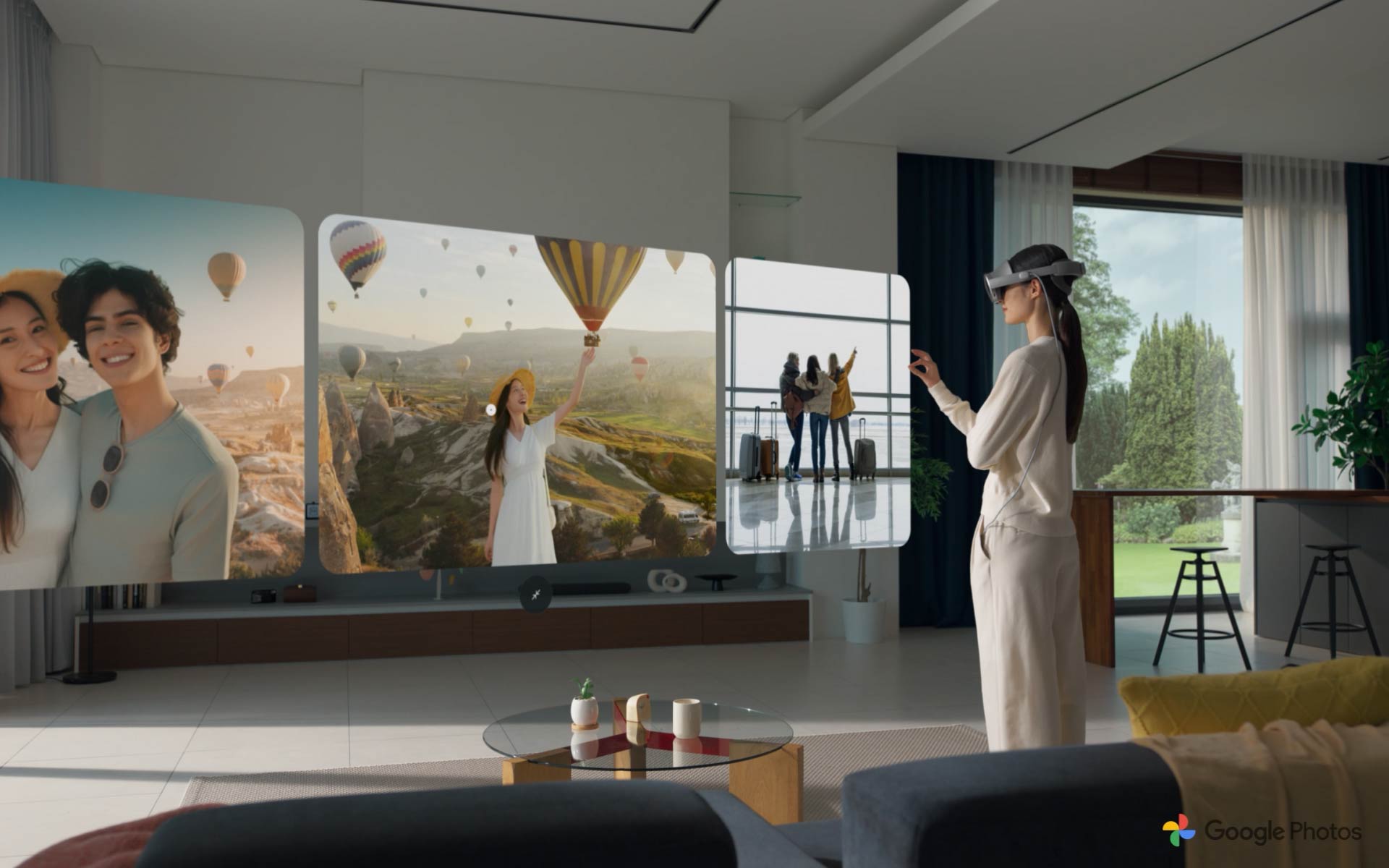
A young woman standing in a living room is wearing Galaxy XR and using hand gestures to swipe between travel photos and videos in the Google Photos app open on Galaxy XR. The woman uses hand gestures on one selected video to turn it into a 3D video. The immersive 3D video is shown on the expansive Galaxy XR screen, then the woman stands up from the living room sofa and extends her hand towards one of the hot-air balloons in the video, trying to touch it. Rear view of the woman viewing the immersive Galaxy XR screen in front of her. Google Photos logo shown.
Explore the world, anywhere you wish
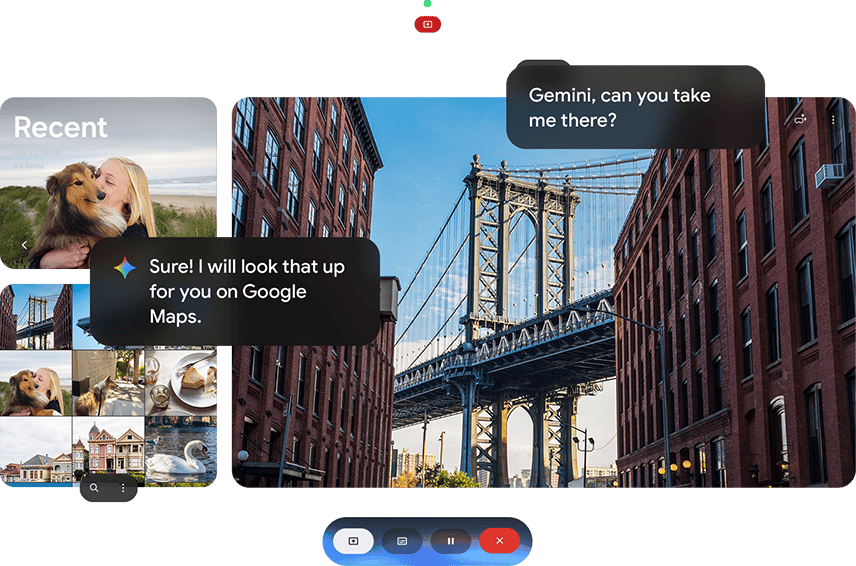

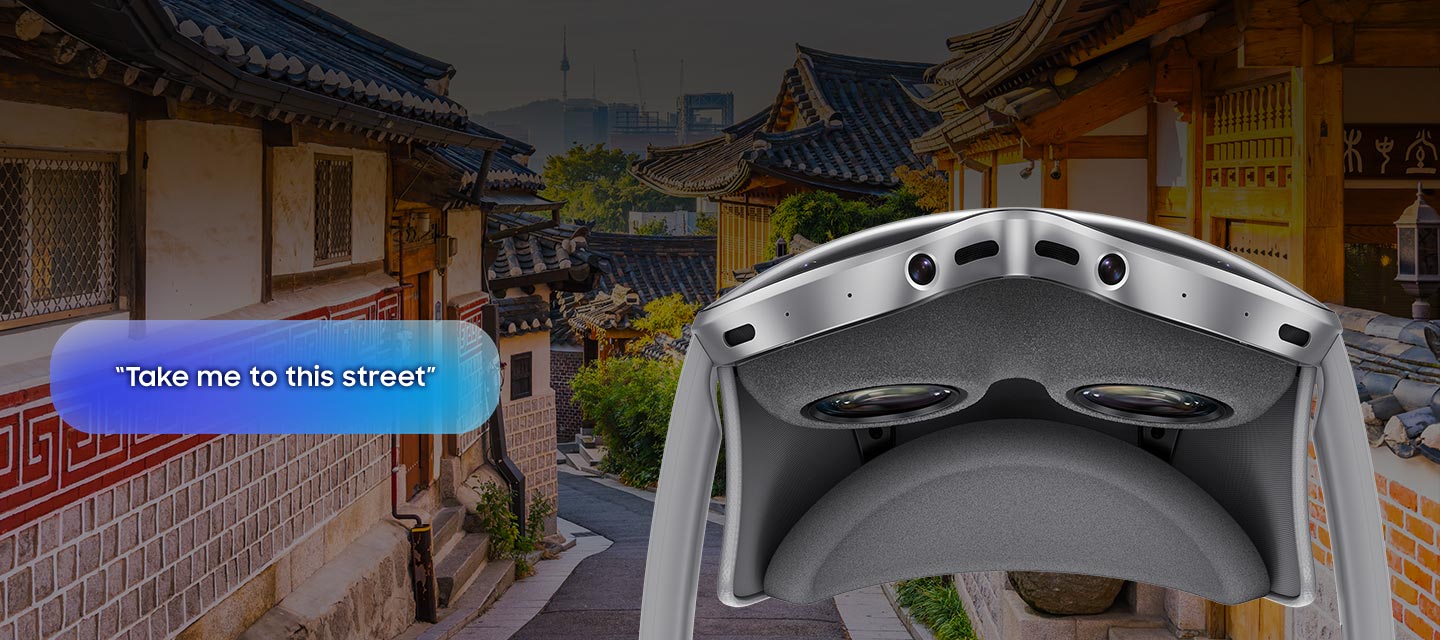
Google Maps is your gateway to virtual exploration on Galaxy XR. Preview your destination overhead in Immersive View, then get closer with Street View to explore at ground level. To discover more on the map, simply use Circle to Search with Google and talk to Google Gemini.1,4,5

Experience apps
in a whole new way
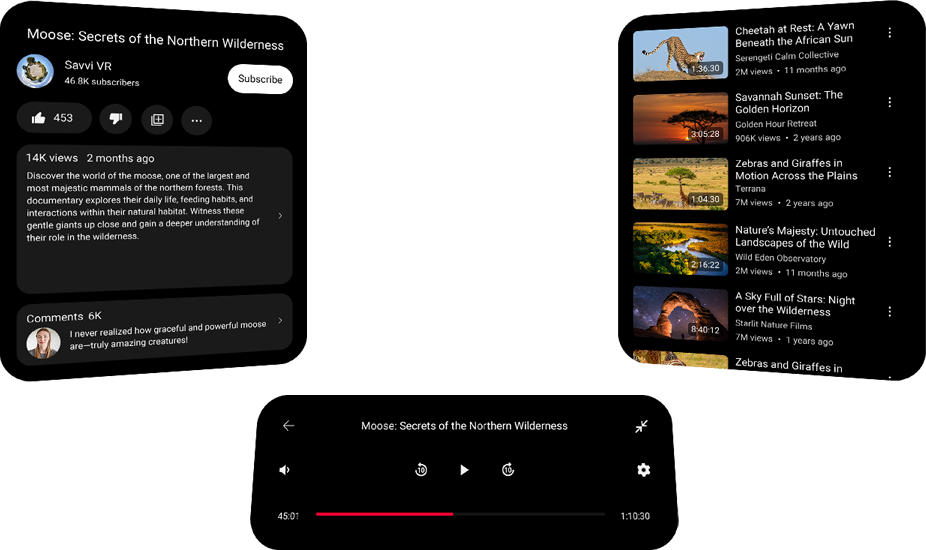
Galaxy XR supports an expansive app ecosystem that lets you enjoy your favorite Android apps on the device. Also, dive into apps made exclusively for a more immersive XR experience, including YouTube, Google Maps, Samsung Gallery and more.1,2,6,7

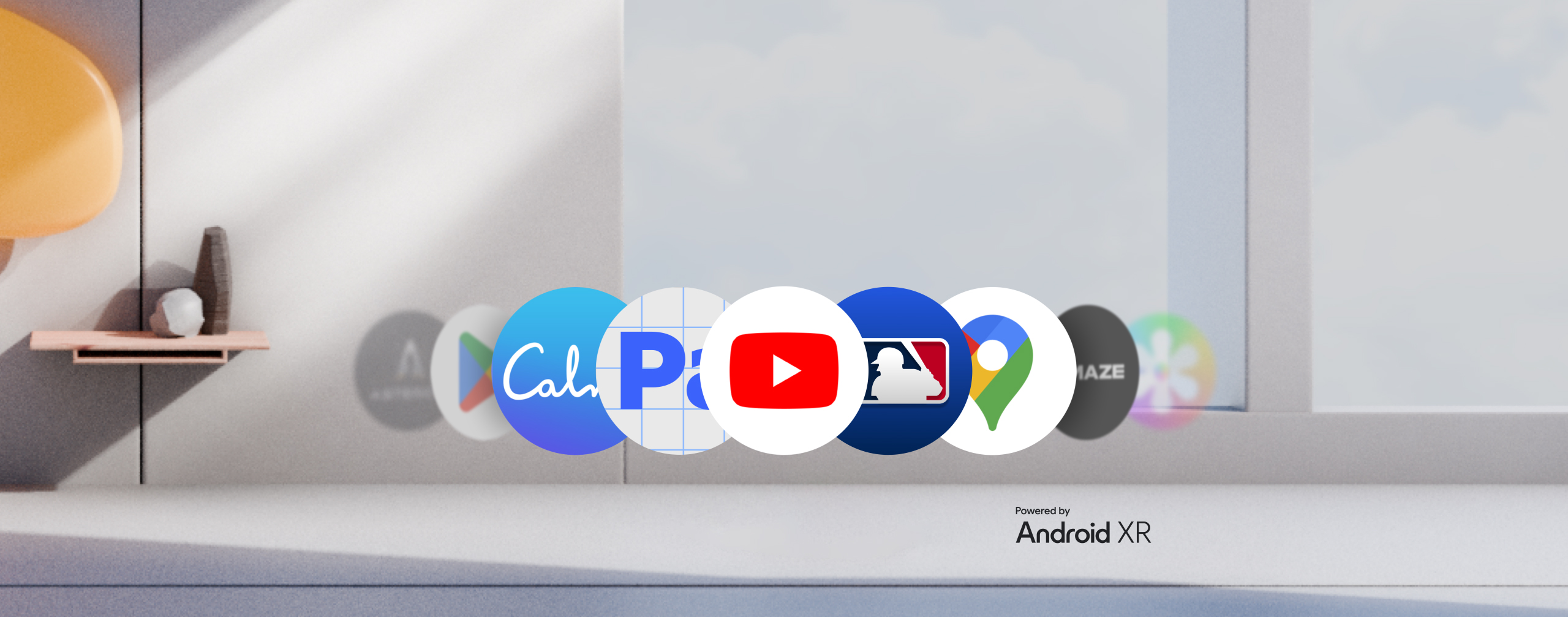
Various Galaxy XR app icons appear in a line including Google Play, Calm, Adobe Pulsar, YouTube, MLB, Google Maps, Amaze VR and more. Text 'Powered by' and Android XR logo.
-
Experience Major League Baseball like never before with Android XR. Watch MLB games live and
on-demand with your MLB.TV subscription. Real-time spatial visualization brings every play to life in an immersive ballpark environment. Award-winning Statcast technology puts dynamic data and detailed play-by-play at your fingertips, only on MLB.1,2,6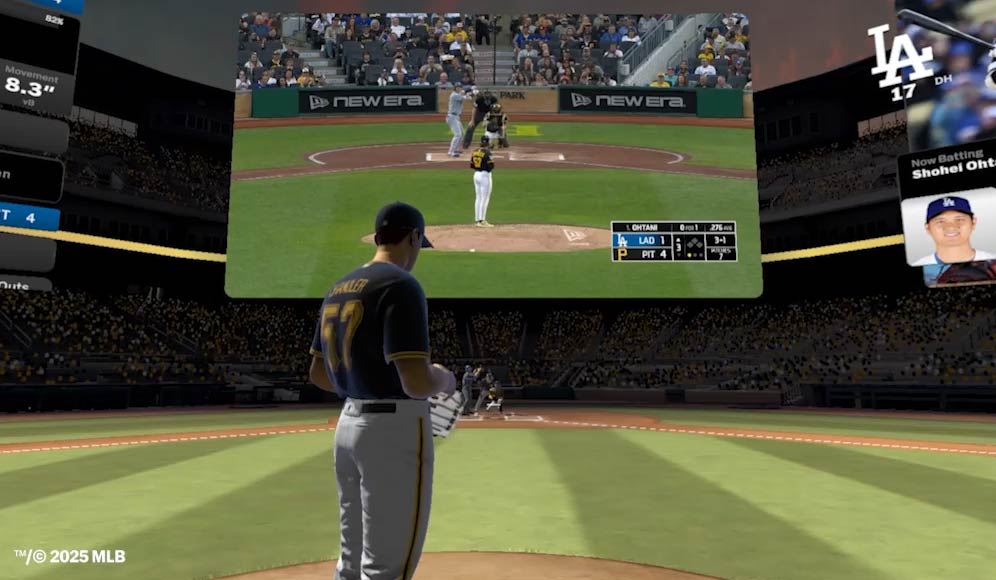
MLB game between Bubba Chandler from the Pittsburgh Pirates and Shohei Ohtani from the Los Angeles Dodgers is playing in one virtual screen on Galaxy XR, and around it a spatial visualization of the game recreates the environment from the perspective of the players and from above with close-up and far-away 3D views, live game stats, dynamic data and immersive elements for an enhanced sports game experience.
-
Project Pulsar from Adobe is a Spatial FX and 3D compositing app for social video content creators. It puts powerful tools at your fingertips, so you can stand out, stop the scroll and captivate your audience. Create studio-quality 3D text, assets and spatial effects in minutes—no VFX experience required.1,2,6
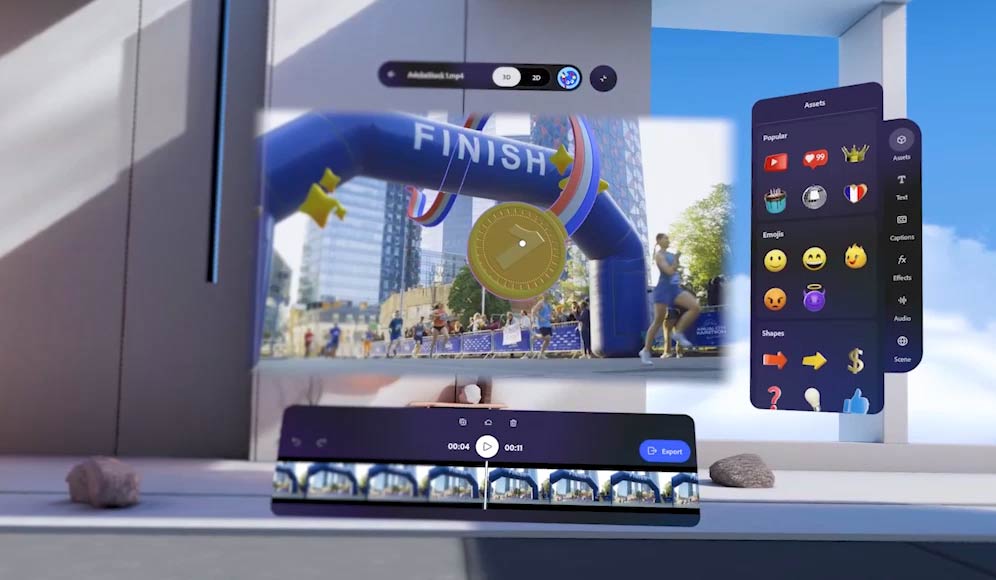
A video of a running event is being edited in Adobe Pulsar app on Galaxy XR and spatial 3D effects are applied. The edited running event video with added 3D effects around the people crossing the FINISH line is shown. Video of two young people performing a dance routine in a living room is shown with spatial 3D effects applied around them. Video of two smiling people waving at the screen with spatial 3D effects applied around them. Video of a stylish woman walking towards the Louvre in Paris and crossing a 3D sign applied as a spatial effect the video.
-
Unlock your inner peace in a way you can truly feel with Calm on Galaxy XR. Enjoy mindfulness that's approachable, immersive and effective thanks to a blend of innovative technology with mindful
design—so you can stay on top of your mental wellness.1,2,6
A modern living room interior with text appearing in the center 'Take a deep breath' and Calm app UX elements around the text, including a sphere and circular line with a reflection on the floor gently moving around to represent inner peace and mindfulness.
-
Experience the ultimate front-row journey with AMAZE VR Concerts. Immerse yourself in
high-quality VR shows featuring live action footage in stunning 3D environments from artists like TOMORROW X TOGETHER, Avenged Sevenfold, T-Pain, Megan Thee Stallion, Zara Larsson & UPSAHL.1,2,6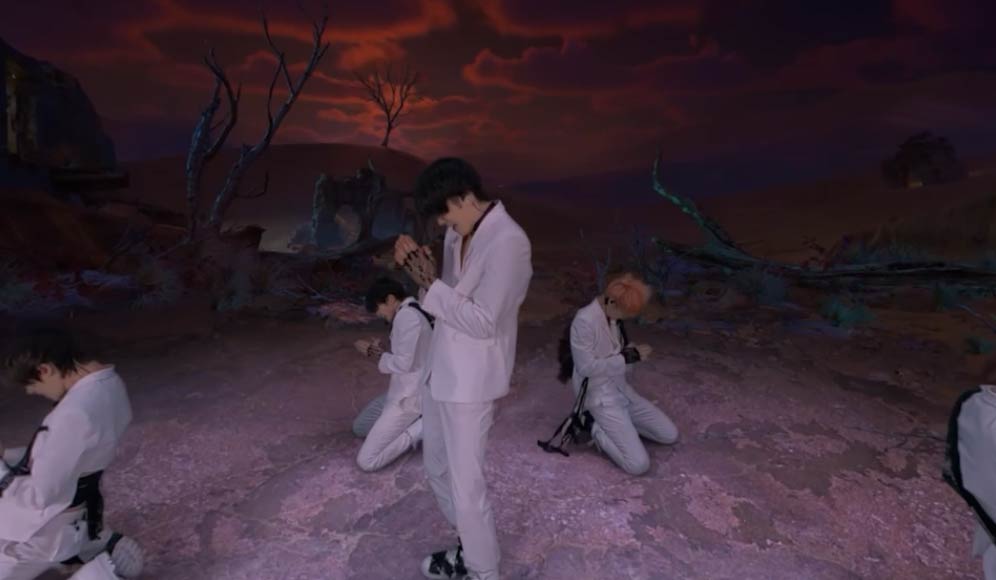
A K-pop boy band with 5 members appears performing at the screen against a wasteland backdrop. While singing and dancing, one of the members kicks towards the screen and the picture with sound effects showcase the immersiveness of the performance experienced on Galaxy XR.
-
Get into the action with ASTEROID by Doug Liman—an XR 180 space thriller film and interactive VR adventure starring Hailee Steinfeld. Enter the story after the film and determine the fate of a stranded astronaut. Download now and embark on the ultimate thriller experience on Google Play!1,2,6

An astronaut stranded on a dark, rocky planet seen drilling the ground with chunks of rock and gold around. Explosion over the planet's rocky surface seen from above with text 'A Doug Liman 180 film'. An astronaut seen picking up a chunk of gold from the helmet of another astronaut's space suit lying on a rocky surface. A young woman seen lying down on a bed in the crew quarters of the space shuttle and looking towards the hatch where another person is standing. Text reads 'Starring Hailee Steinfeld'. Close-up of an astronaut spinning in zero-gravity space away from the space shuttle with planets and stars seen in the distance.
Ergonomic design
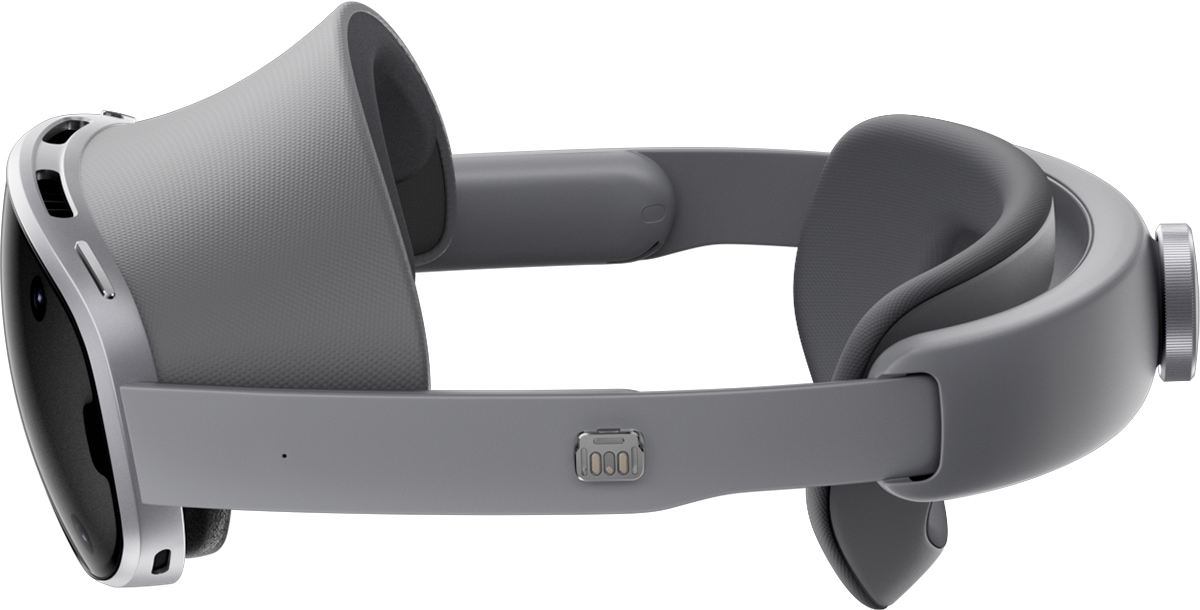
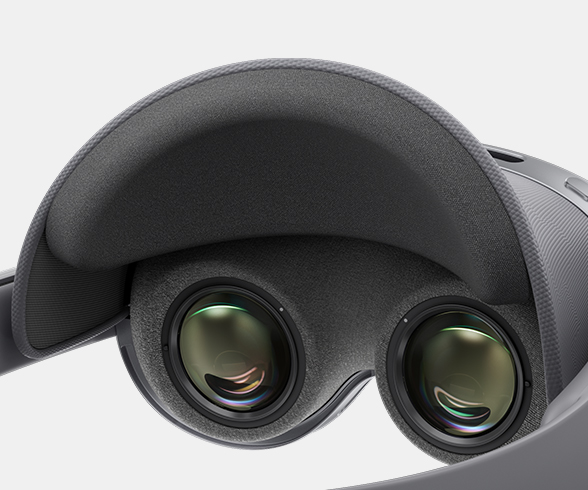
Forehead cushion
The detachable Forehead cushion provides a snug, breathable fit no matter your face shape—even after long use.
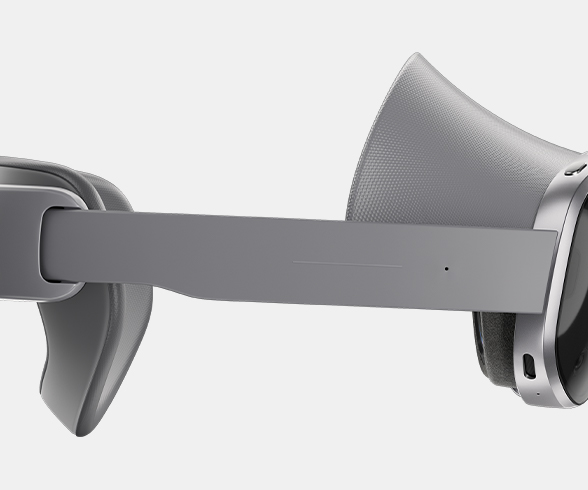
Side band
The optimally designed Side band protects pressure-sensitive areas and keeps the headset stable and comfortable.
Rear cushion and Rear fit dial
The Rear cushion and Rear fit dial adjust to your head shape—so you can find your precise fit and viewing angle.
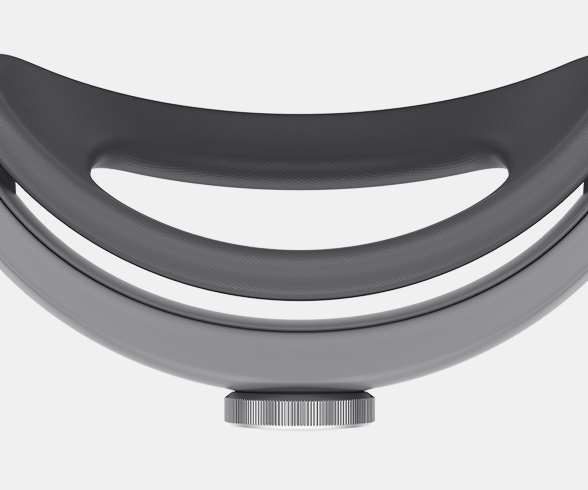
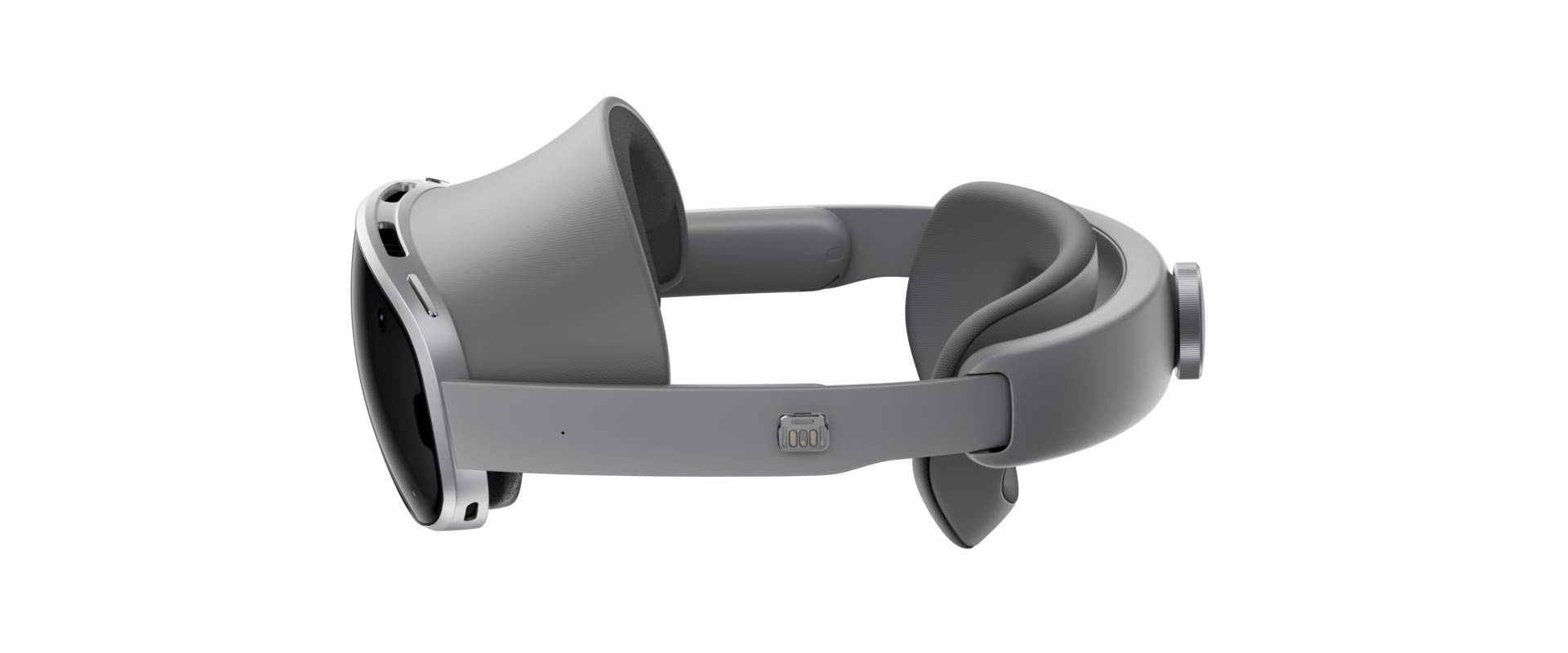
Galaxy XR seen horizontally from the left side, followed by a close-up of the front part of the device highlighting the detachable Forehead cushion. Then, a close-up of the optimally designed Side band of Galaxy XR is shown. It is followed by a close-up of the back part of Galaxy XR highlighting the Rear cushion and Rear fit dial. Galaxy XR turns to the front with the Visor window facing forward to showcase the overall premium design of the device.
Lighter weight, greater comfort
Galaxy XR appears with a close-up of the Visor window on the front of the device, then a male user appears wearing the device. The user wearing Galaxy XR turns horizontally for a 360-degree view of the device from all sides, including the left Side band with the Power connector and Power cable, then the Rear cushion and Rear fit dial on the back, then the right Side band of the device. The user turns again to the front to highlight the Visor window.
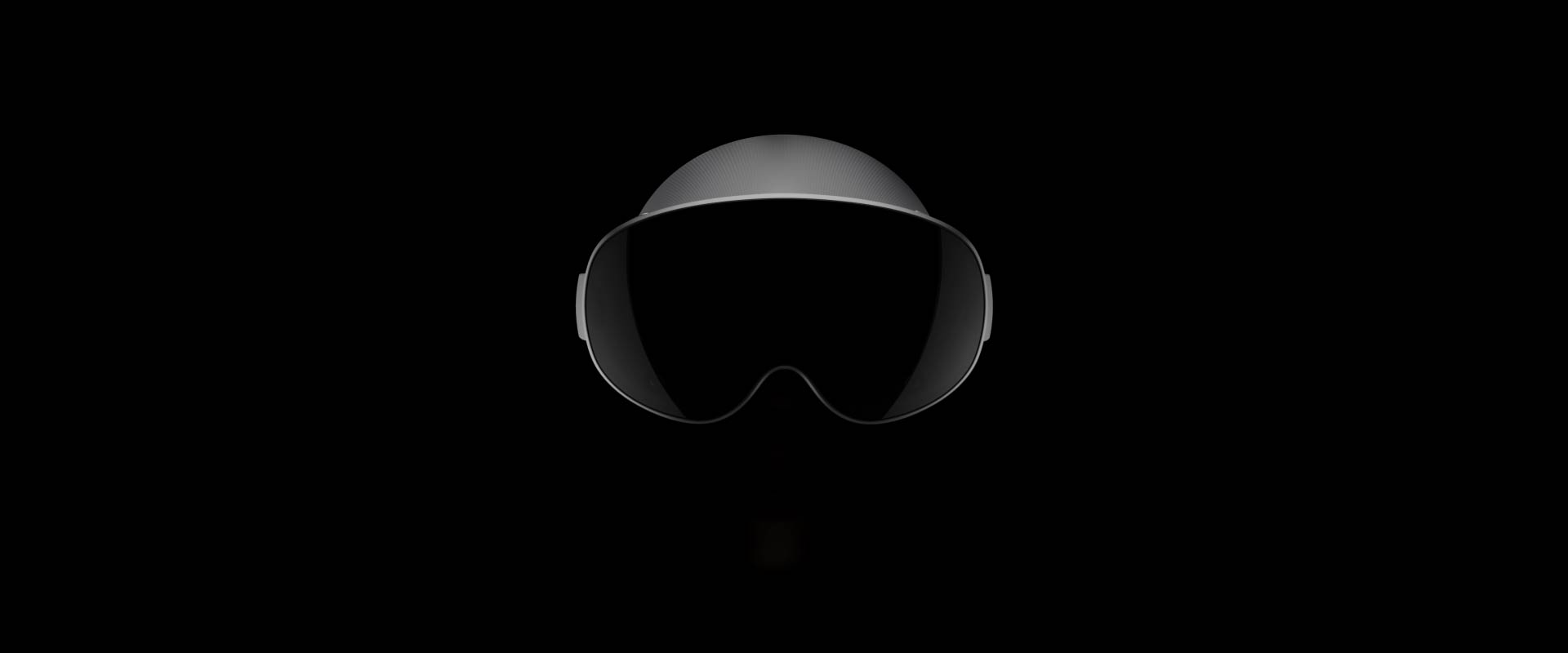

Galaxy XR appears with a close-up of the Visor window on the front of the device, then a male user appears wearing the device. The user wearing Galaxy XR turns horizontally for a 360-degree view of the device from all sides, including the left Side band with the Power connector and Power cable, then the Rear cushion and Rear fit dial on the back, then the right Side band of the device. The user turns again to the front to highlight the Visor window.
Weighing only 545 g, Galaxy XR offers balanced comfort and distraction-free immersion. Its ergonomic design features Forehead and Rear cushions, a Rear fit dial, click-on Light shields and Side bands for enhanced stability when you wear the device.1,8,9
-
The iconic Visor window design of Galaxy XR. Featuring 6 front cameras, including 2 world-facing
cameras and a system LED indicating your activity status.9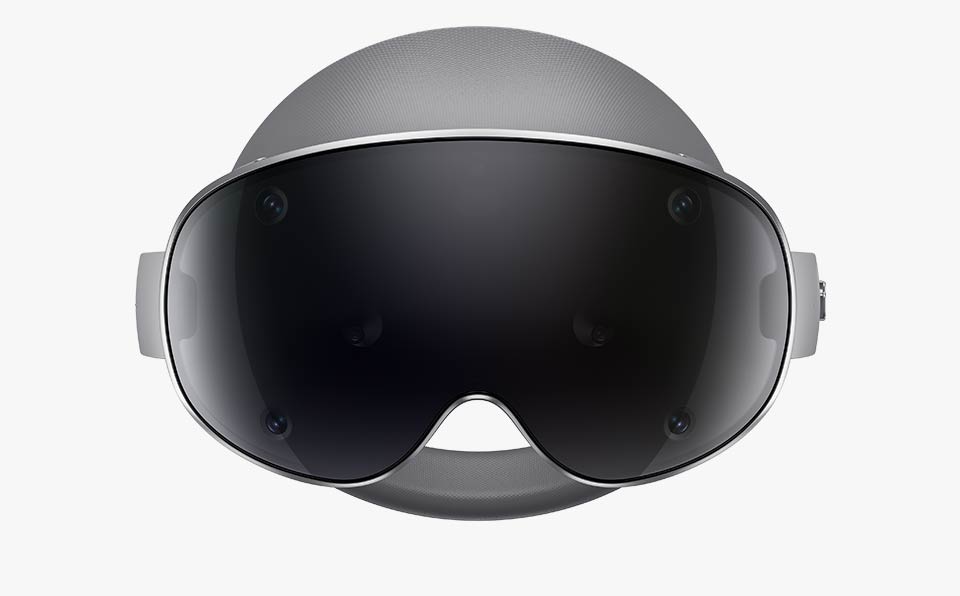
Galaxy XR seen from the front with six front cameras highlighted on the Visor window.
-
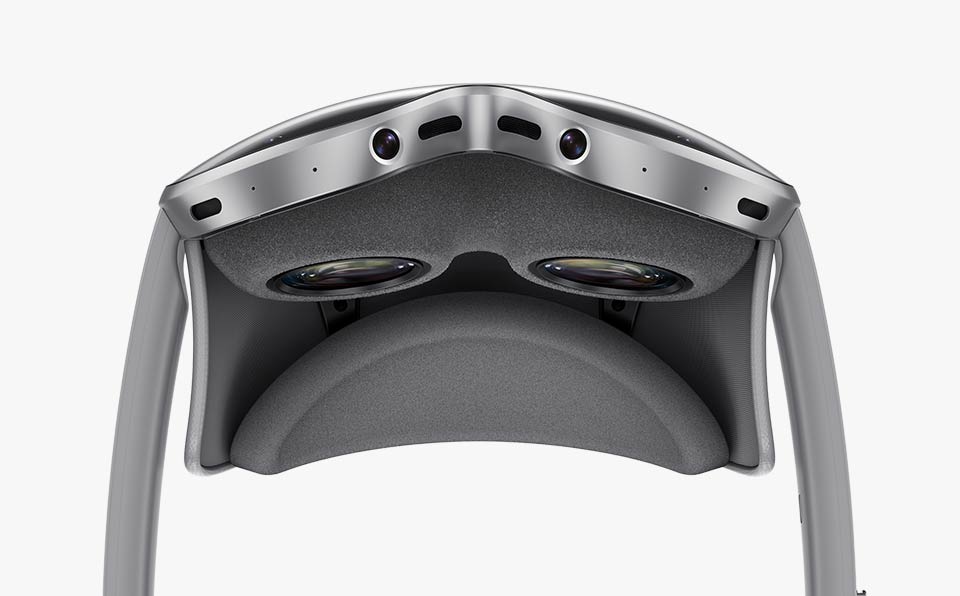
See your world come to life on the high-res, high-impact 4K micro-OLED display on Galaxy XR and
immerse yourself in the stunningly clear and vivid picture.9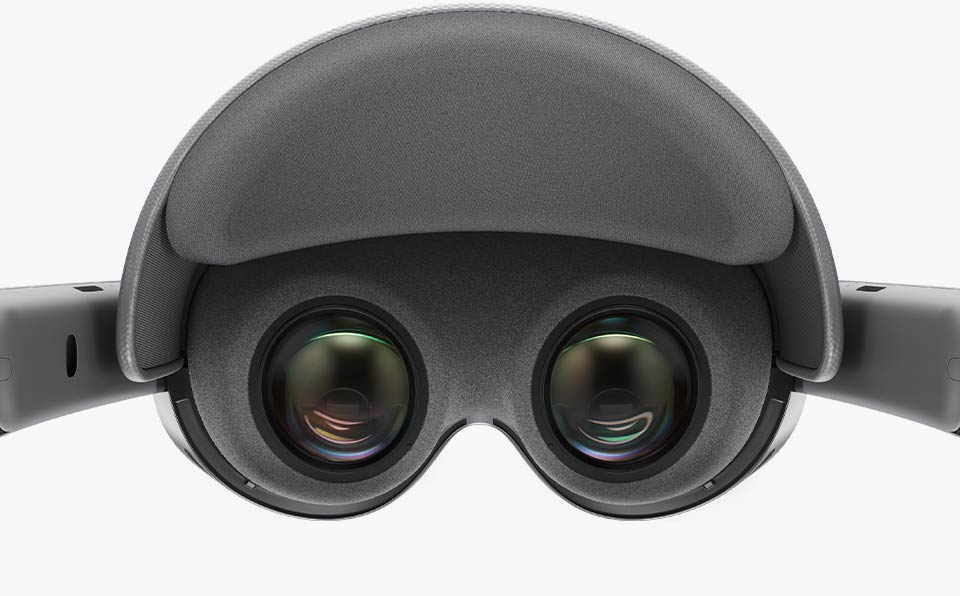
Galaxy XR seen from a user's point of view when the device is on with the lenses and display highlighted on the back of the Visor window.
-
Detachable Light shields block out external stimuli to ensure seamless immersion throughout your
XR experience.9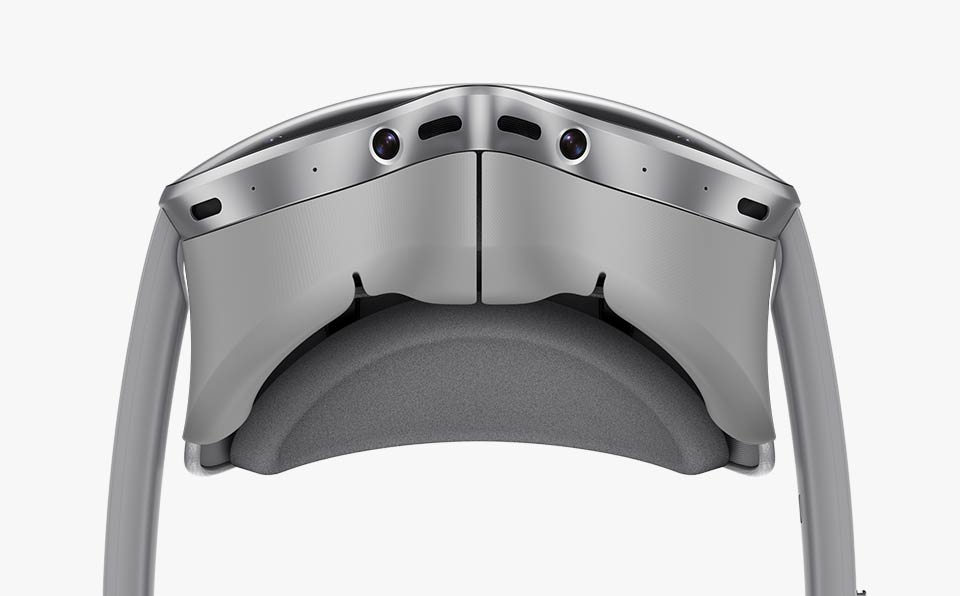
Galaxy XR seen from below with two Light shields attached to the device under the Visor window, blocking out external light.
-
Galaxy XR features two 2-way speakers with woofer and tweeter, aligned with the position of your ears to deliver clear and vivid 3D sound details with less leakage.9
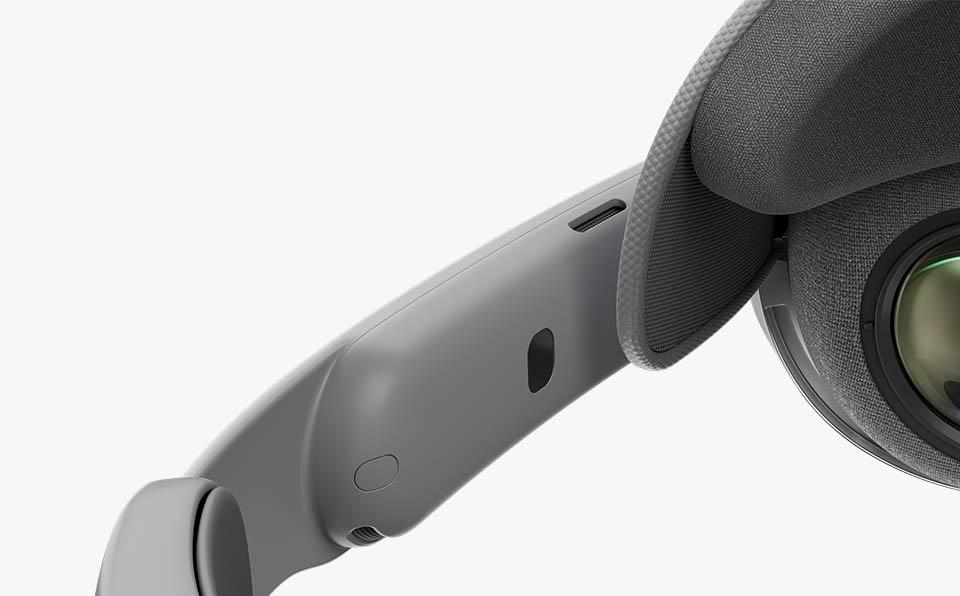
Close-up of the left Side band of Galaxy XR with two speakers highlighted on the top and bottom of the Side band, showcasing the optimal positioning of the speakers close to the user's ears for clear 3D sound.
-
The easy-to-use Power connector connects with a simple click. And when your Galaxy XR isn't
connected, the versatile Battery pack can charge your other devices, too.9
Galaxy XR seen from the left side with the versatile external battery pack placed next to the device and connected to it via the Power connector.
-
The Side touchpad enhances accessibility with ease, giving you simple access to common controls.
Long-tap to recenter. Double-tap to easily toggle VR Mode and Pass-through Mode.9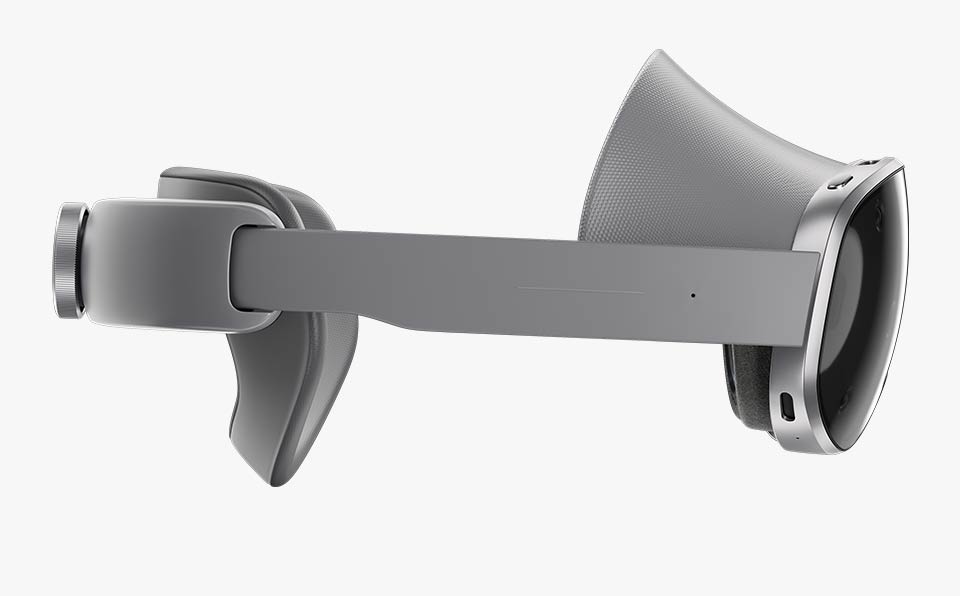
Galaxy XR seen from the right side with the Side touchpad highlighted.
-
Two intuitive buttons make your go-to controls seamless and simple. Press the Top button to
activate the Launcher, where you can see your apps and Quick Panel with shortcuts for
menus and actions, or long press to activate Google Gemini. And easily adjust audio levels with
the Volume button.5,9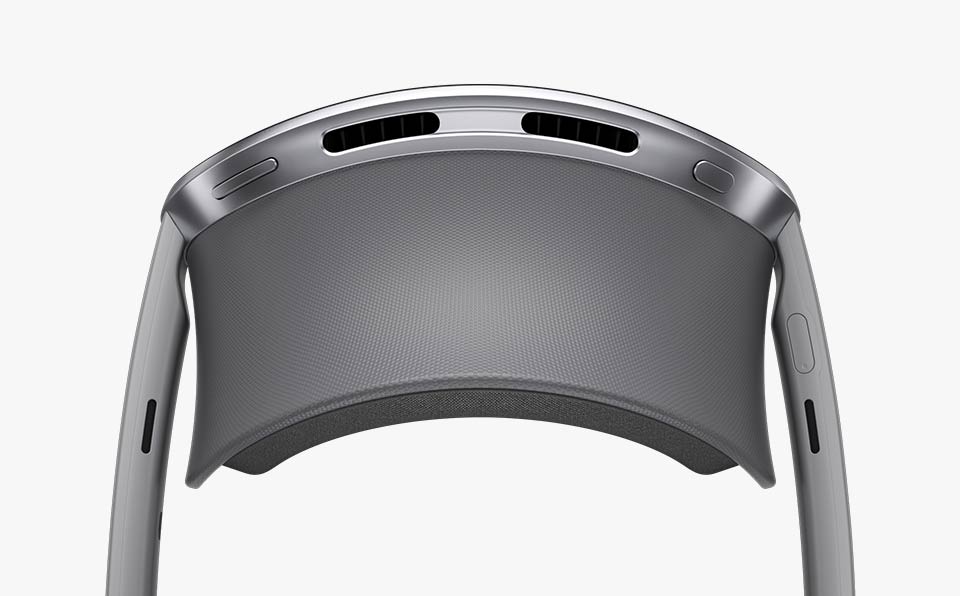
Galaxy XR seen from above with the Top button on the top right side and Volume button on the top left side of the Visor window.
Lifelike display & audio
Immersive display you can see
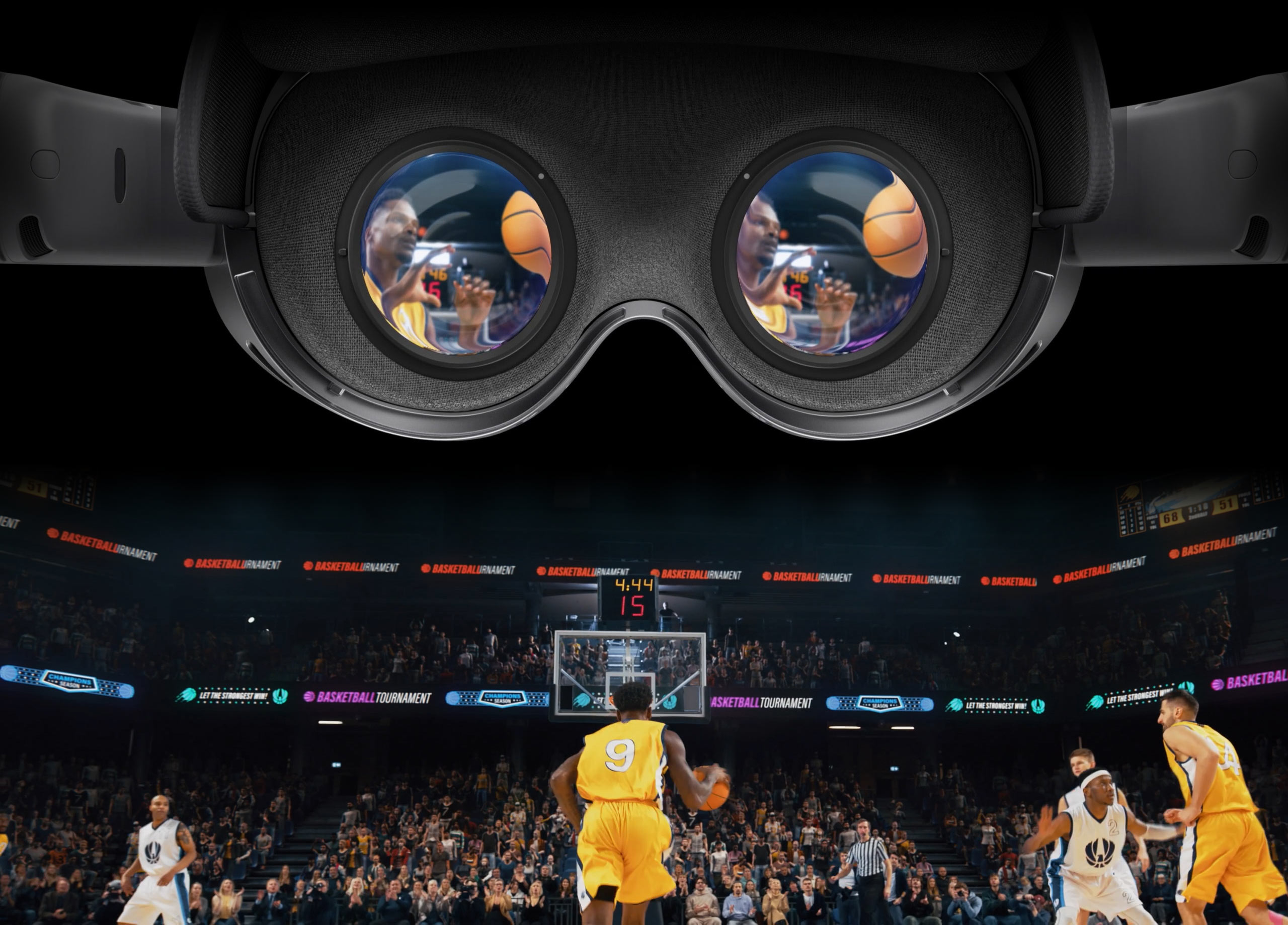
Galaxy XR features a 4K micro-OLED display that's high-resolution, high-impact and brings you closer to reality than ever before. With unparalleled resolution of 29 M pixels and pixel density of 4,032 PPI, the display immerses you in a crisp and vivid picture with true-to-life colours.1
Spatial audio you can feel
Enjoy rich spatial audio tailored to your surroundings. Each side of Galaxy XR features a 2-way speaker with woofer and tweeter, delivering clear and dynamic sound with reduced leakage.1
Galaxy XR seen from a user's point of view behind the display and lenses when the device is on. The user's vision goes through the lenses and the display reveals an immersive basketball game in a crowded arena with sound waves across the screen, showcasing the high-resolution, realistic visuals and 3D sound of the device.
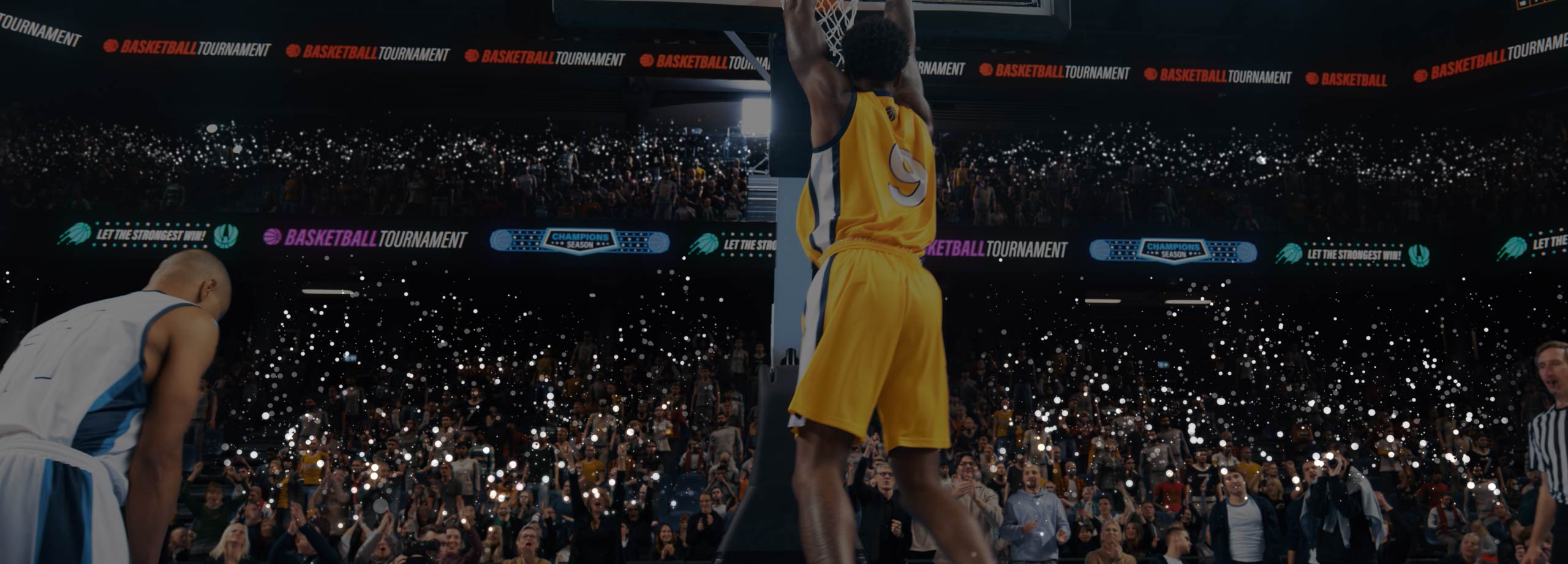
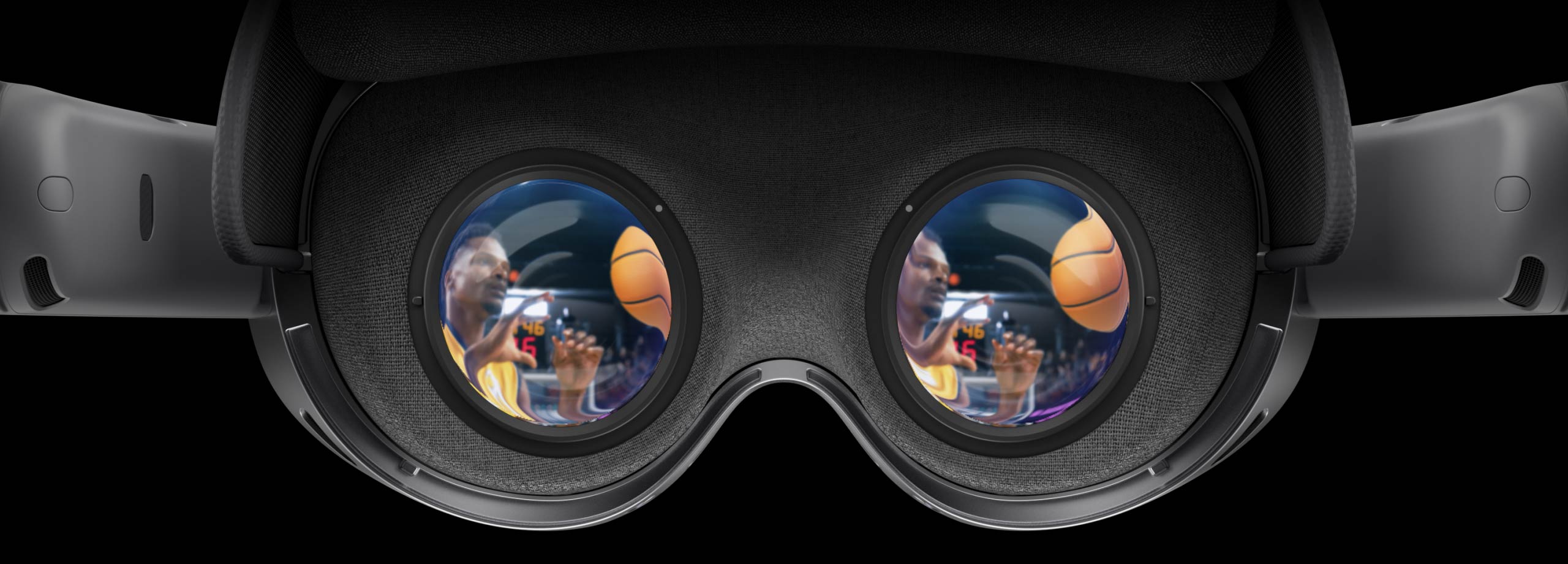
Galaxy XR seen from a user's point of view behind the display and lenses when the device is on. The user's vision goes through the lenses and the display reveals an immersive basketball game in a crowded arena with sound waves across the screen, showcasing the high-resolution, realistic visuals and 3D sound of the device.
Interactions made intuitive
Technology for your every move
Galaxy XR multimodal input combines hand, eye and voice for seamless control. With advanced sensors and interaction methods that reflect your every move, you can control your device naturally and intuitively.1
Hand Tracking
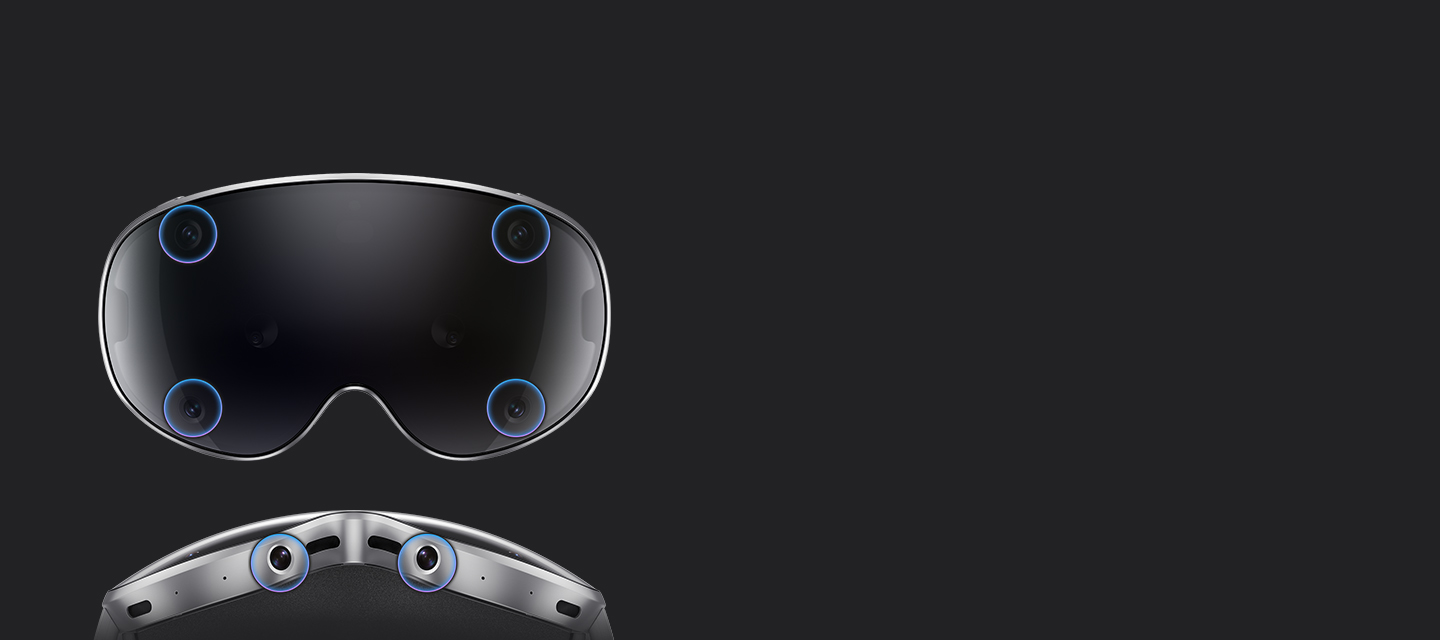
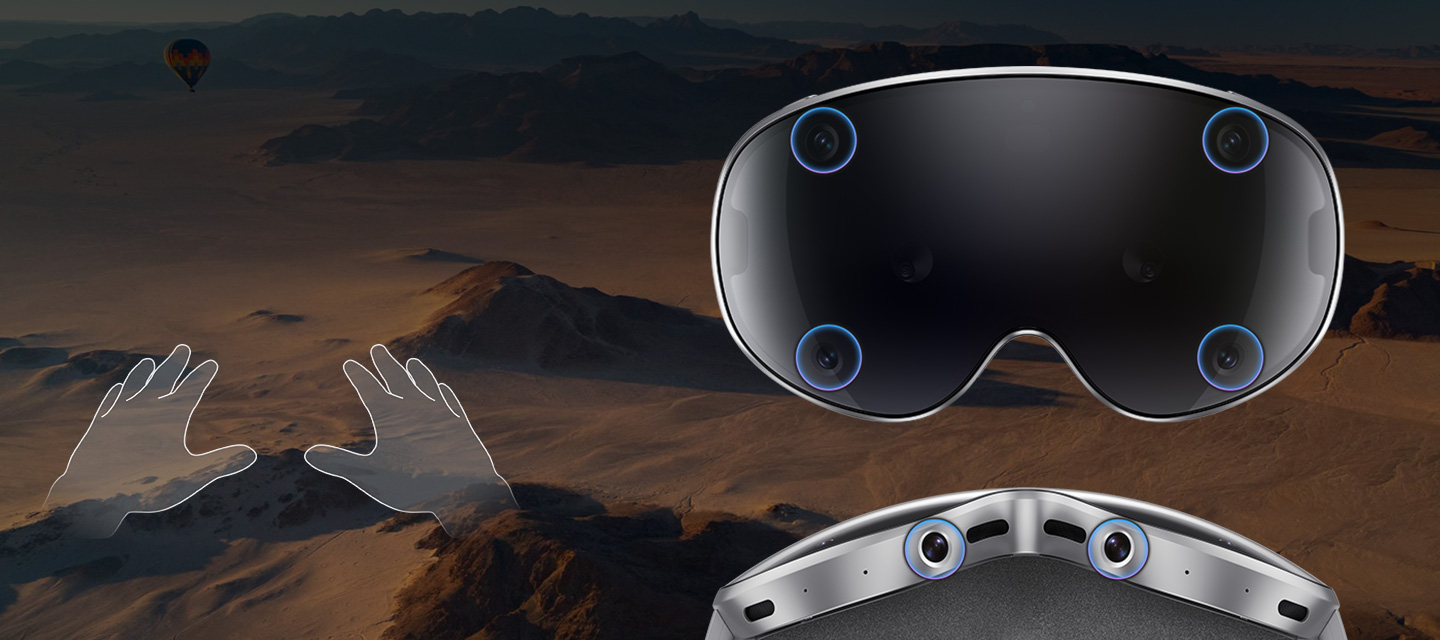
Galaxy XR is equipped with 6 internal camera sensors for precise multimodal input, enabling smooth XR interactions without motion sickness. Take control with intuitive hand gestures—just hover your hand over an object and pinch to select it.1
Depth Sensor
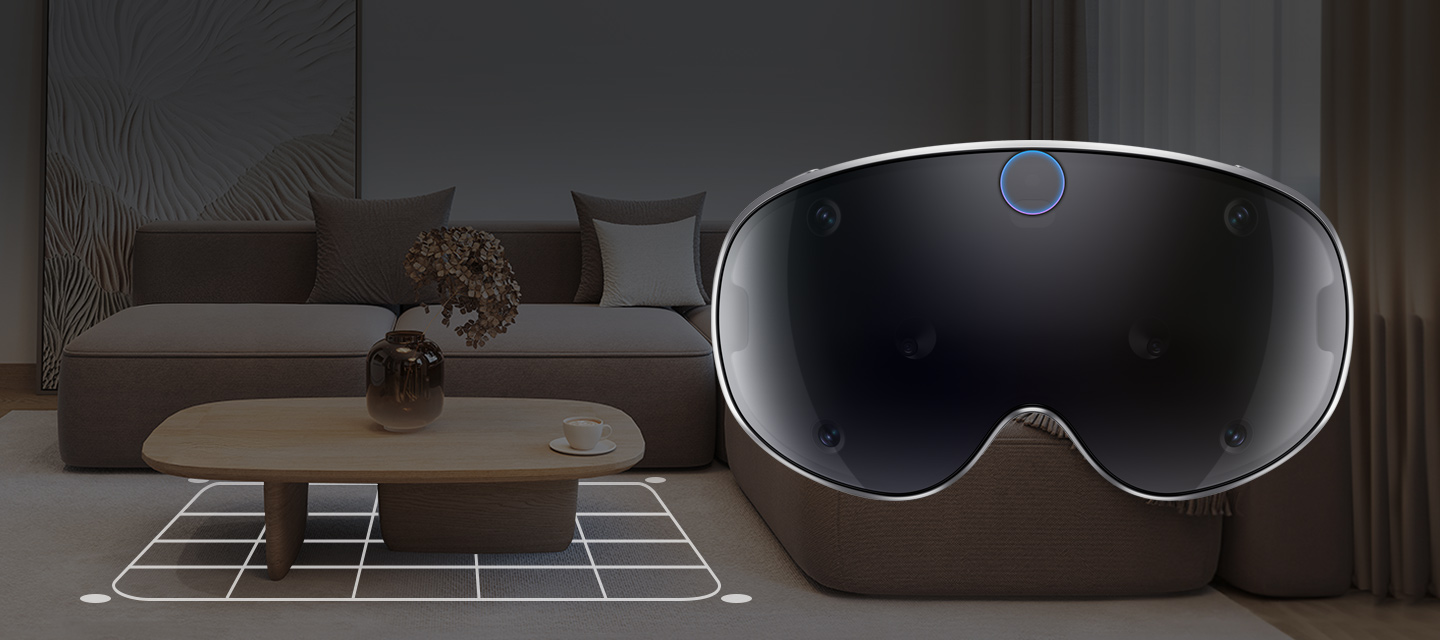
Galaxy XR’s depth sensor maps your surroundings for accurate Scene understanding. It recognises floors, ceilings, walls and other features around you to create a more realistic sense of interaction.1

Eye Tracking
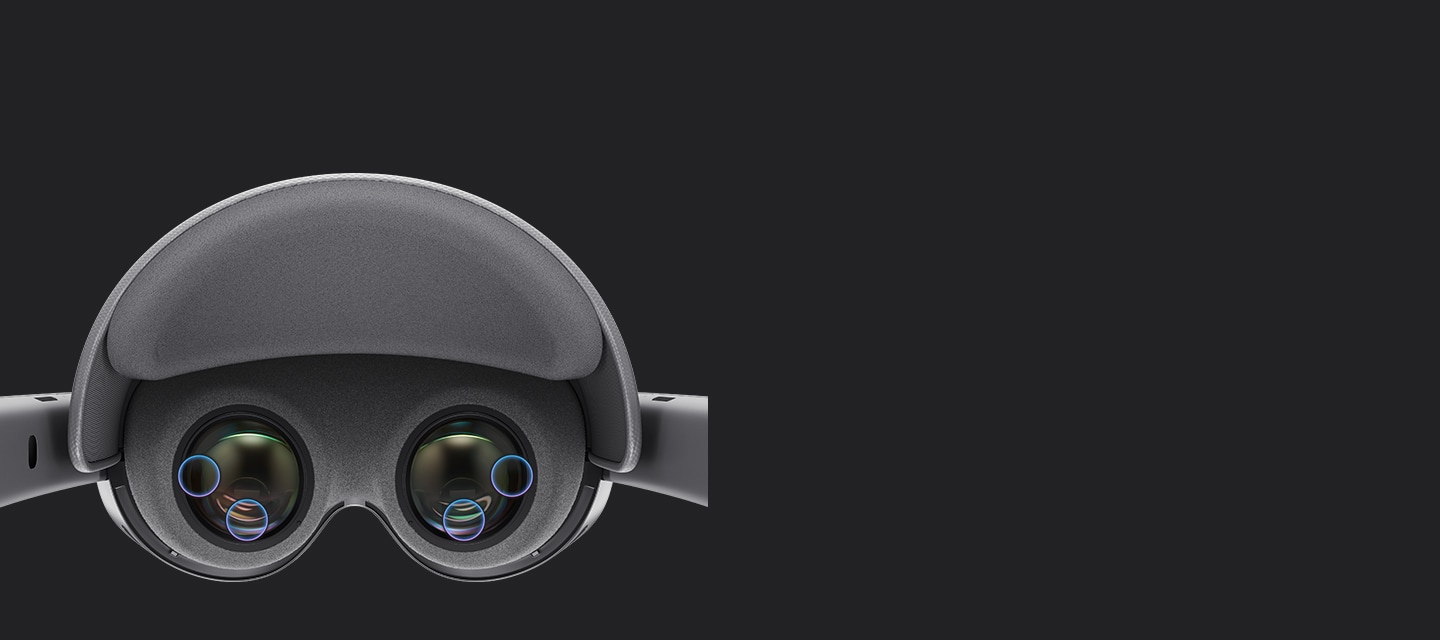
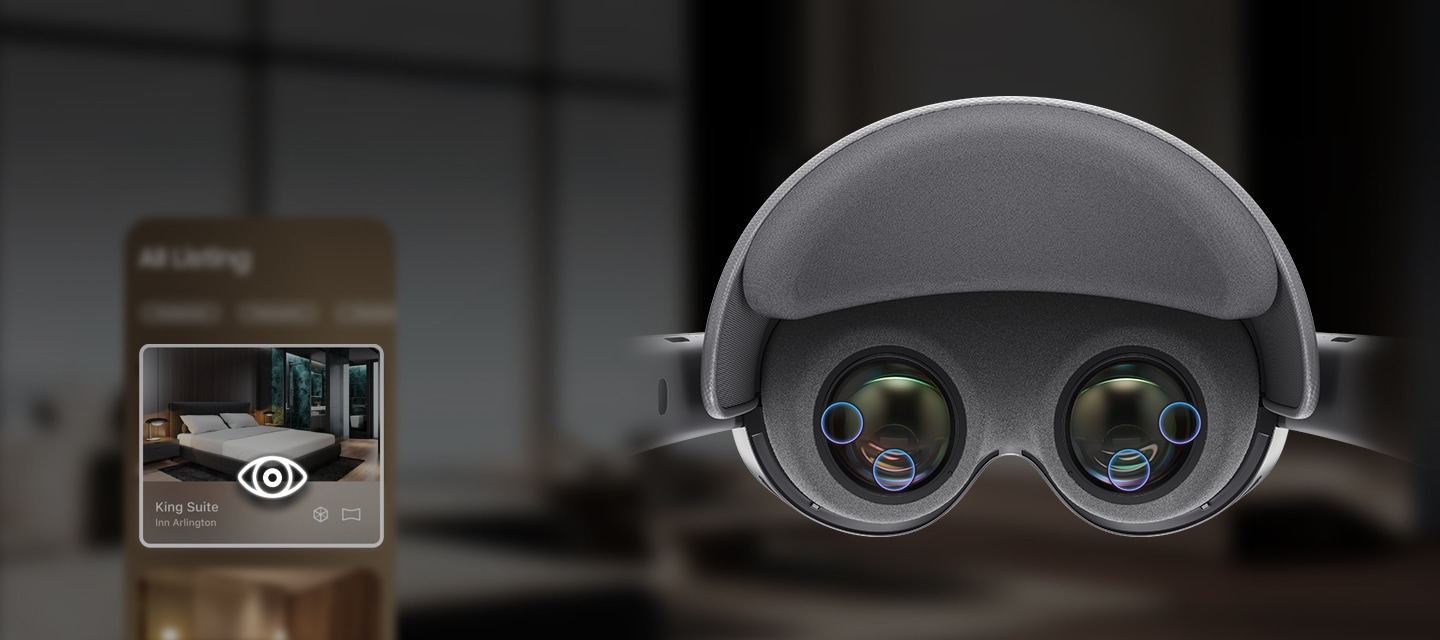
Galaxy XR has four eye-tracking cameras which employ infrared LEDs and AI models to illuminate each eye, detect precise pupil position and predict gaze direction—enabling intuitive multimodal control with a glance.1
Voice
Galaxy XR’s microphones accurately capture sound from all directions, separating noise from the user’s speech patterns to detect what you are saying with high accuracy.1
Level up for more exciting gaming
The Galaxy XR controllers feature 6 DoF and analog sticks to track your movements accurately and intuitively in the 3D space. The controllers offer ergonomic comfort and haptic feedback for immersive gaming and XR experiences.1,2,6,11,12,13
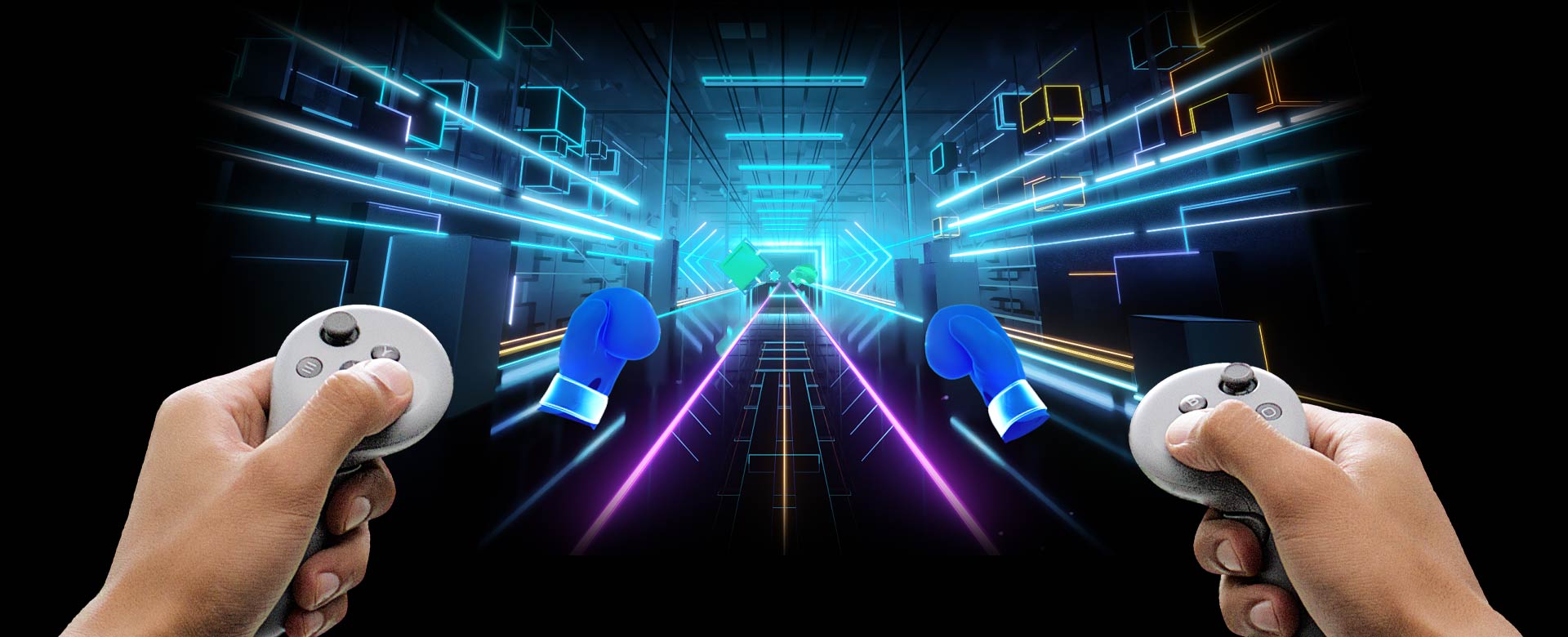
A person holding Galaxy XR Controllers and using them to play a game on Galaxy XR, in which the player uses boxing gloves that correspond to the movement of the Controllers to allow the player to punch and destroy incoming targets.
Behind the
performance

The next dimension of One UI
The Galaxy interface you know, now made spatial.
One UI XR brings comfort and clarity to extended reality.1,19

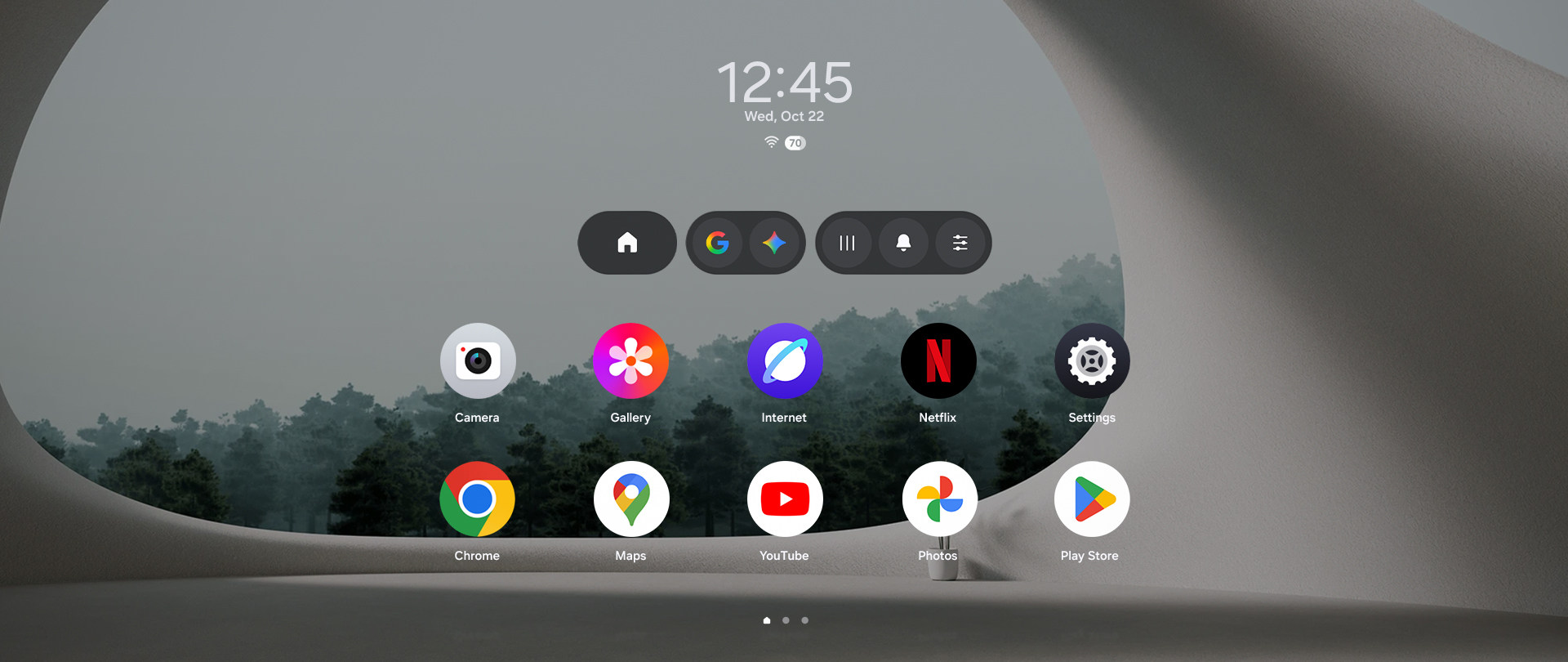
Google Gemini icon bouncing, then the Launcher screen on Galaxy XR appears with various app icons and the time shown on top.
Frequently Asked Questions
-
One of the main features of Galaxy XR is its Conversational Multimodal AI. Galaxy XR can understand the user's digital and physical context, and features an AI assistant that provides human-like interactions with natural responses. Galaxy XR supports eye, hand and voice input and offers natural, intuitive interactions with Google Gemini for an enhanced XR experience.
In addition, Galaxy XR is lightweight and features an ergonomic design for a comfortable wearing experience. Another highlight of Galaxy XR is its high-resolution 4K micro-OLED display, which delivers an immersive viewing experience.5 -
Yes, Galaxy XR is compatible with other Galaxy devices like phones, PCs, tablets, etc. You can connect your devices through PC Link and Call continuity features on Galaxy XR and enjoy cross-device connectivity for enhanced productivity and entertainment.
PC Link lets you easily bring your Galaxy Book screen to Galaxy XR and multitask on a larger scale. And with Call continuity, you can answer calls coming to your smartphone directly on Galaxy XR.25,26,27,28,29 -
On Galaxy XR, you can experience content covering various aspects of your lifestyle, including games, movies, live sports, fitness, remote collaboration and more. And just like on an Android smartphone, you can purchase or download a wide range of apps and content from the Google Play Store and enjoy them on Galaxy XR.6
-
Yes, you can. Galaxy XR offers new ways to interact with and search for information, and supports Connected Device Experience for enhanced work and productivity.
For example, you can multitask on the large screen of Galaxy XR with bigger and more windows, and easily search for information about your physical or virtual environment. Also, you can get connected to another device even while you're immersed on Galaxy XR—for instance, you can bring your Galaxy Book screen to Galaxy XR and use your mouse to freely navigate between your Galaxy XR screen and the mirrored screen of your Galaxy Book.25,26,27 -
When you purchase your Galaxy XR, it comes with the following in-box items: Galaxy XR device, Protective cover, Light shields (L/R), Cushion size adjusters (Thin/Thick), Forehead cushion, Power cable, External battery, USB Power adapter, USB Cable, Cleaning cloth and Quick Start Guide.
-
Galaxy XR comes in Silver Shadow.
-
No, it doesn't. Galaxy XR weighs just 545 g and features an ergonomic design that makes the device comfortable to wear even for long periods. Galaxy XR is equipped with Forehead and Rear cushions, a Rear fit dial, click-on Light shields and Side bands that provide a snug fit adapted to your head features. However, keep in mind that Galaxy XR cannot be used with glasses on.8
-
Galaxy XR weighs 545 g and measures 120.7 x 194.4 x 264.6 mm.8
-
Galaxy XR is equipped with an ultra high-resolution 4K micro-OLED display with 4,032 PPI, and 109°(H) and 100°(V) Field of View, so you can fully immerse yourself in the expansive, true-to-life picture.
-
Google Gemini on Galaxy XR can understand the user's digital and physical context to deliver natural interactions. For example, while watching a YouTube video you can ask questions about the video and get relevant answers from Google Gemini. You can also ask questions about your environment or objects in your surroundings and get answers from Google Gemini just as easily.5
-
Google Gemini on Galaxy XR can provide real-time natural responses to user questions while watching content. For example, while watching a sports game you can ask questions about the competing teams or players and get relevant answers from Google Gemini.5
-
You can use Google Gemini on Galaxy XR together with Google Maps app to easily plan your next trip. For example, if you ask Google Gemini about a destination you have in mind, you can move directly to that location in Google Maps app, then continue with follow-up questions and get answers to discover more about the place.5
-
Yes, in Samsung Gallery app on Galaxy XR you can use Live Effect feature, which separates the foreground from the background in your 2D photos to create a 3D-like perspective. In addition, using Google Photos app you can turn your existing 2D photos and videos into 3D.3
-
-
You can start using Galaxy XR for 30-minute periods with 15-minute breaks in between, then gradually increase the usage time as you grow accustomed to the experience. Stop using Galaxy XR if you feel any discomfort or other physical symptoms during or after use.
-
No, you can't wear hard contact lenses or glasses while using Galaxy XR. You can purchase additional Prescription lenses if you currently wear hard contacts or eyeglasses, so you can enjoy enhanced visual clarity and eye comfort while using Galaxy XR.23
-
No, they can't. Galaxy XR is designed for users who are 13 and older. Children under the age of 13 are not allowed to use Galaxy XR and minors aged 13 and older must use the device under adult supervision.
- Promoter: Google Ireland Ltd. Terms apply. Purchase of Samsung headset, Galaxy XR, and redemption required by October 21, 2027. Purchase from Samsung.com or a Samsung Experience Store in the UK only. Apps must be redeemed by the date listed: Project Pulsar by Adobe by December 31, 2026; Google AI Pro, YouTube Premium, Google Play Pass, Calm Premium, and StatusPro NFL PRO ERA by October 21, 2027. Google subscriptions automatically renew: Google AI Pro at £18.99/month, YouTube Premium at £12.99/month, and Google Play Pass at £29.99/year or £4.99/month after trials end. Prices subject to change. Cancel anytime. Google Play Pass and YouTube Premium offers are for new subscribers only. Separate partner terms, renewal conditions, and eligibility rules apply to offers (see terms for full details): Adobe Pulsar available only to those receiving codes directly from Samsung; Calm Premium is for new subscribers only and renews automatically at £49.99/year; StatusPro NFL PRO ERA is a free copy of the game. For full terms see: http://support.google.com/android-xr/?p=explorer_tcs_uk
- Some apps may require subscription or payment. App availability and features may vary by country and languages.
- Requires a compatible Android XR headset (sold separately). Quality and availability of spatialization may vary based on original media. Subject to usage limits.
- Circle to Search is a trademark of Google LLC. Available on selectdevices and internet connection required. Works on compatible apps and surfaces. Result may vary depending on visual matches. Check responses for accuracy.
- Gemini is a trademark of Google LLC. Results for illustrative purposes. Gemini Live feature requires internet connection and Google Account login.
- App availability and features may vary by country and languages.
- Some apps may require download from the Google Play Store.
- The weight of the product specified above includes the weight of the device with the Forehead cushion only. The weight of the product was measured without other attachments such as Cushion size adjusters and Light shields.
- Battery pack connection is required to use the device.
- Actual design of the device and its components might differ from the image.
- Controllers sold separately.
- Controllers may not function properly in some games, especially 2D games for Mobile.
- Controllers are optimized for 3D games.
- Some apps may require subscription or payment.
- App availability and features may vary by country and languages.
- Actual battery life varies by network environment, features and apps used, and many other factors.
- General usage tested with Wi-Fi connection turned on, video playback from YouTube playing in a virtual environment, Google Chrome internet browser with three websites open and Google Meet with Avatar setting turned on.
- Video playback tested in a virtual environment using 2D video content from YouTube.
- Some apps may require a network connection and/or Samsung Account login. Availability of functions supported within the apps may vary by country.
- Actual performance will depend on user environment, conditions and pre-installed software and applications.
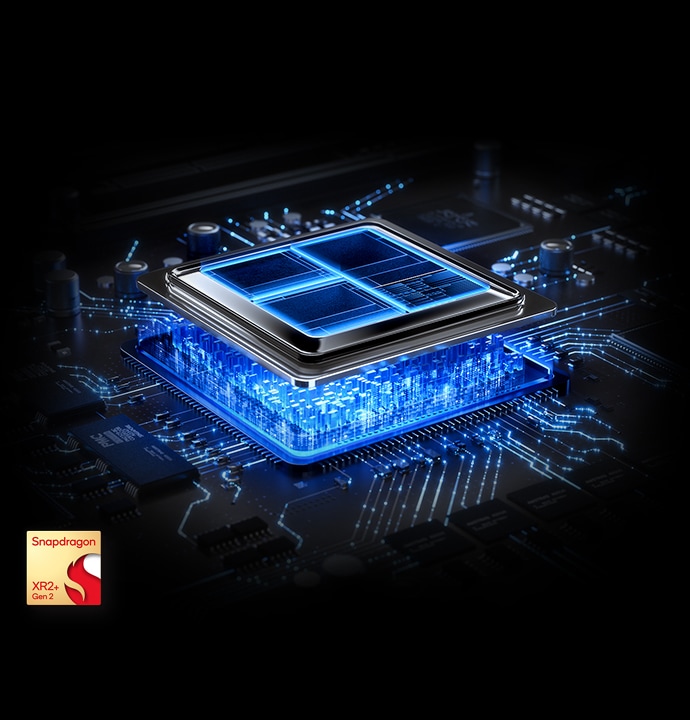
- The 15 % higher GPU performance is based on a comparison to Snapdragon® XR2 Gen 2.
- The 20 % higher CPU performance is based on a comparison to Snapdragon® XR2 Gen 2 and only applies to 2 out of 6 CPU cores used in Snapdragon® XR2+ Gen 2.
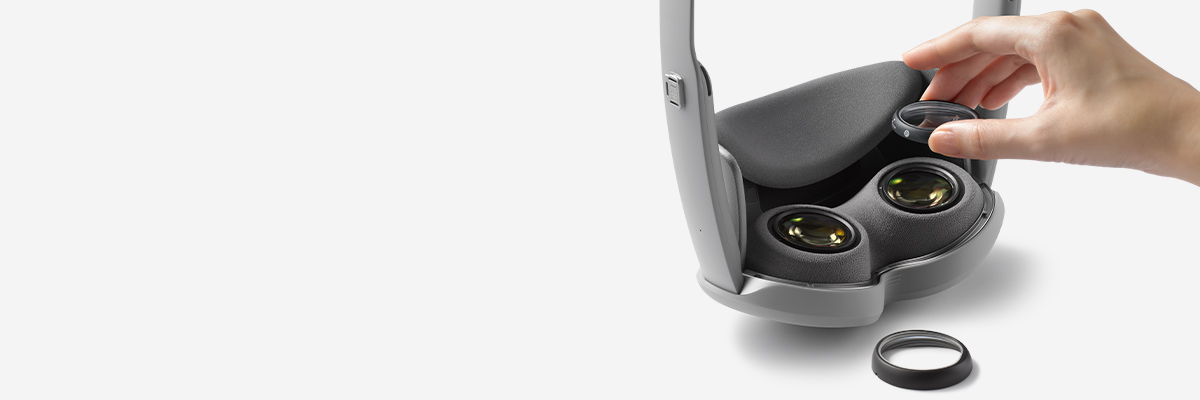
- Glasses and prescription contacts may impact the precision of eye tracking. For best results, purchase Prescription Lenses (sold separately). Prescription Lenses are sold and delivered by VisionExpress.com. Warranty and technical support queries are handled by VisionExpress.com. For more information about lens inserts see https://www.samsung.com/uk/xr/galaxy-xr/galaxy-xr/buy/
- The Kodak trademark, logo and trade dress are used under license from Kodak. ©2025 ELOA.
- PC Link is available only on Galaxy Book devices running Windows 11 or later.
- Galaxy XR and Galaxy Book should be logged in with the same Samsung account, and both of them should have Bluetooth and Wi-Fi on.
- Call continuity is available only on Galaxy Smartphones running Android P OS or later, with at least 3 GB Memory.
- To make and get calls from phone, 'Call on other devices' feature should be turned on both Galaxy XR & phone.
- To get notifications from phone, Galaxy XR should be synced with the phone via Phone Link on Quick Settings.
Specifications
-
Memory (GB)
16
-
Storage (GB)
256
-
Technology (Main Display)
Micro OLED
-
Resolution (Main Display)
3552 x 3840, 27 Million Pixels / 6.3 Micron Pixel Pitch
-
Main Display Color Gamut
95% DCI‑P3
-
Main Display Refresh Rate
60 Hz, 72 Hz (Default), 90 Hz (Up to, upon Service Request)
-
Main Display Filed of View
109 Degrees Horizontal and 100 Degrees Vertical
-
CPU Name
Snapdragon® XR2+ Gen 2 Platform
-
Rear Camera Features
Supports 3D Photo, Video Capture
-
Rear Camera Resolution
6.5 MP (Resolution may vary depending on use case)
-
Rear Camera F Number
F2.0
-
Pass-through Cameras
2 EA
-
World-facing Tracking Cameras
6 EA
-
Eye-tracking Cameras
4 EA
-
Inertial Measurement Units(IMUs)
5 EA
-
Depth Sensor
1 EA
-
Flicker Sensor
1 EA
-
Iris Recognition Support
Yes
-
Speakers
Two, 2 Way Speaker (Woofer + Tweeter)
-
Mic.
Six Microphones Array (Multiple microphones among the six microphones support beamforming feature depending on the use case)
-
Audio Codec Info.
MP3, AMR-NB / WB, AAC / AAC+ / eAAC+, Vorbis, FLAC, Opus, Dolby Digital (AC3), Dolby Digital Plus (E-AC3), Dolby ATMOS (E-AC3 JOC, AC4)
-
Video Playing Info.
UHD 8K (7680 x 4320)@60fps
-
Video Codec Info.
H.263, H.264, HEVC, MV-HEVC, MPEG-4, VC-1, VP8, VP9, AV1 (Supports HDR10 and HLG)
-
Usage Time
Up to 2 hours of general use / Video watching up to 2.5 hours / Galaxy XR can be used while charging the battery
-
Wi-Fi
802.11a/b/g/n/ac/ax/be 2.4GHz+5GHz+6GHz, EHT320, MIMO, 4096-QAM
-
Bluetooth Version
Bluetooth v5.4
-
Range
54 ~ 70 mm
-
GalaxyXR supports vision correction through separately purchasable optical-inserts
-
Weight
545g (w/ forehead cushion), Weight may vary depending on whether light shield is attached or not
-
Separate Battery Weight
302 g
-
Security Update Period (Valid until)
30 September 2030
Reviews
Galaxy XR
- Customers consistently praise the 4K Micro-OLED displays as exceptional, with crystal clear text and vibrant, accurate colors that enhance media and gaming experiences.
- Most highlight seamless Galaxy ecosystem integration and AI features like contextual assistance and intelligent object recognition as major advantages for daily productivity.
- Many find the headset lightweight and comfortable, though some report forehead pressure after 30 minutes and use third-party comfort accessories for extended sessions.
- Several note hand and eye tracking occasionally require exaggerated gestures or underperform compared to alternatives, with users expecting software improvements.
- A few mention battery life constraints and limited native app support, though most frame these as early adopter trade-offs with confidence in future refinements.
Reviews with images & videos
Filters
Relevancy sort puts the best reviews at the top. We look at things like helpfulness votes, latest review, pictures and other traits that readers look for in their reviews.
Filters
44 Reviews
2026-06-24
2026-05-30
Lexington KY
2026-05-23
2026-05-03
R&R
Hey there antluna, We truly appreciate the journey we've shared with you at Galaxy and understand how important it is to continually offer experiences that meet your needs. The Galaxy XR is designed to be a game-changer, and your feedback is incredibly important to us. If you have any specific concerns or ideas, please don’t hesitate to reach out to our Samsung Support Team. We genuinely value your feedback and want to make sure your voice is heard. Thank you for being a valued part of the Samsung family. Your experience matters to us! -Ty Samsung Support smsng.us/Samsung-Support Samsung Community smsng.us/Samsung-Community Facebook smsng.us/Facebook-Messenger X https://smsng.us/X-Messages
2026-04-13
2026-03-15
Arlington, VA
2026-02-16
2026-02-12
2026-02-11
2026-01-11
5713 cheyeene dr
![[D] Alternative Text](https://photos-us.bazaarvoice.com/photo/2/cGhvdG86c2Ftc3VuZw/8d8d1ad2-61dc-526c-82df-d992620e9713)
![[D] Alternative Text](https://photos-us.bazaarvoice.com/photo/2/cGhvdG86c2Ftc3VuZw/64d72087-761f-5a40-a215-d83b0c769c16)
R&R
Hey there lilroy, Thank you for sharing your initial impressions of the Galaxy XR. We're glad to hear you appreciate the ample storage and the vivid visuals on the display. Crafting immersive and visually engaging experiences is central to our XR design philosophy, and your feedback confirms this commitment. We appreciate your openness to exploring new technology with Samsung. -Ty Samsung Support smsng.us/Samsung-Support Samsung Community smsng.us/Samsung-Community Facebook smsng.us/Facebook-Messenger X https://smsng.us/X-Messages
2026-01-11
Ohio
2026-01-08
Edinburg TX
R&R
Hey there Ronnie, Thank you for sharing your experience with Galaxy XR. Battery life is essential for extended immersive use, and many users appreciate how Galaxy XR supports longer sessions along with advanced features like Gemini integration and 3D Google Maps viewing. It’s so immersive to get lost in the XR world. Feedback highlighting both performance and functionality demonstrates how Galaxy XR is designed to provide an engaging and capable experience. Thank you for choosing Samsung. -Ty Samsung Support smsng.us/Samsung-Support Samsung Community smsng.us/Samsung-Community Facebook smsng.us/Facebook-Messenger X https://smsng.us/X-Messages
2025-12-26
R&R
Hola A H2O, Thank you for sharing your experience with Galaxy XR. Designed to provide immersive visuals and enhanced display clarity, Galaxy XR demonstrates Samsung’s dedication to pushing the limits of immersive reality. Your feedback highlights enthusiasm for deeper device interaction and creative opportunities. Perspectives like yours show the growing interest in how XR technology can develop within connected ecosystems. Thank you for being part of the Samsung community. -Ty Samsung Support smsng.us/Samsung-Support Samsung Community smsng.us/Samsung-Community Facebook smsng.us/Facebook-Messenger X https://smsng.us/X-Messages
2025-12-18
South haven Michigan
2025-12-09
Seattle
R&R
Hey RENERIZE, Thank you for sharing your feedback on the Galaxy XR. The XR experience is designed to deliver immersive visuals with simple controls. Your suggestions regarding clarity and comfort are valuable as we aim to enhance visual precision and ergonomics in future updates. We appreciate your early impressions. The device emphasizes immersive computing through spatial interaction and advanced graphics. Your feedback on gesture control, visual clarity, and comfort zones is essential as we work to make the XR experience more natural and intuitive. We thank you for your insights and your participation in Samsung innovation. We value your input and thank you for being part of the Samsung family. How to properly wear your Samsung Galaxy XR headset https://www.samsung.com/us/support/answer/ANS10007501/ -Ty Samsung Support smsng.us/Samsung-Support Samsung Community smsng.us/Samsung-Community Facebook smsng.us/Facebook-Messenger X https://smsng.us/X-Messages
2025-12-08
New York
2025-12-06
2025-11-27
Seattle, WA
R&R
Hello CB1965, We appreciate your detailed feedback on your XR experience. The hardware is designed for comfort and immersive visuals, and your notes on battery life, fit adjustments, travel case usefulness, and gesture flow are exactly the kinds of details we consider as we improve extended reality for everyday use. We recognize that usage, fit, and range will vary among users. Our goal is to provide guidance on achieving a perfect fit every time. Before wearing the headset, clear your surroundings to prevent accidents. Use the device in a spacious area free of obstacles. While wearing the headset, keep the battery pack close—such as in a pocket. When charging, ensure the connection to the wall charger and power outlet remains accessible and unobstructed. If you experience persistent discomfort or pain, stop using the device immediately. To maintain comfort and avoid fatigue, take a break at least every 30 minutes. If discomfort persists, take more frequent or longer breaks to rest your eyes and mind. The fit may need to be adjusted based on individual characteristics like head shape and viewing angle. After the initial adjustment, feel free to make additional tweaks for optimal comfort and visibility according to your preferences. Keep in mind that comfort and display visibility can differ based on personal preferences and usage conditions. We encourage you to review the guide on “How to properly wear your Samsung Galaxy XR headset,” linked below. Thank you for your feedback, and we appreciate your choice of Samsung. How to properly wear your Samsung Galaxy XR headset https://www.samsung.com/us/support/answer/ANS10007501/ -Ty Samsung Support smsng.us/Samsung-Support Samsung Community smsng.us/Samsung-Community Facebook smsng.us/Facebook-Messenger X https://smsng.us/X-Messages
2025-11-25
New York, NY
R&R
Hello there DadBod, Thank you for your feedback. The Galaxy XR is built to seamlessly operate within the Galaxy ecosystem, allowing effortless transitions between phone, tablet, and PC to improve workflow continuity. This integration helps deliver optimal performance and security for users who enjoy the complete Galaxy experience. For more details on connecting to Samsung devices, please see the linked article below. Stay informed about upcoming updates as the Galaxy XR features develop and improve. We appreciate your review and thank you for choosing Samsung. Galaxy XR: Connect with other Samsung devices and services https://www.samsung.com/us/support/answer/ANS10007510/ -Ty Samsung Support smsng.us/Samsung-Support Samsung Community smsng.us/Samsung-Community Facebook smsng.us/Facebook-Messenger X https://smsng.us/X-Messages
2025-11-24
R&R
Hi there X112 Thank you for sharing your thoughts on your Galaxy XR! The Galaxy XR was created for immersive visual power and strong performance. You might notice the design naturally adds some weight because of its premium build and advanced lens array. Proper placement of the headset is key for both comfort and performance. Follow these steps to get a perfect fit and an immersive experience. The fit may vary depending on individual features like head shape and viewing angle. So, after adjusting as instructed, feel free to make additional tweaks for the best comfort and visibility based on your preferences. Keep in mind that actual comfort and display clarity can differ depending on personal preferences and usage conditions. We appreciate you sharing how it feels in your hand; it helps improve future designs that balance comfort and capability. Thanks for choosing innovation with Samsung! How to properly wear your Samsung Galaxy XR headset https://www.samsung.com/us/support/answer/ANS10007501/ -Ty Samsung Support smsng.us/Samsung-Support Samsung Community smsng.us/Samsung-Community Facebook smsng.us/Facebook-Messenger X https://smsng.us/X-Messages
2025-11-18
Texas
![[D] Alternative Text](https://photos-us.bazaarvoice.com/photo/2/cGhvdG86c2Ftc3VuZw/f6560274-9127-519b-b956-faa86984fcb4)
![[D] Alternative Text](https://photos-us.bazaarvoice.com/photo/2/cGhvdG86c2Ftc3VuZw/41f5b363-3def-5223-9561-d9042cd01646)
2025-11-16
Hampton Virginia
2025-11-12
2025-11-11
2025-11-09
![[D] Alternative Text](https://photos-us.bazaarvoice.com/photo/2/cGhvdG86c2Ftc3VuZw/537f1f9b-7cca-5e94-825b-a154d1d150b6)
![[D] Alternative Text](https://photos-us.bazaarvoice.com/photo/2/cGhvdG86c2Ftc3VuZw/6a08fd0e-37df-5fb8-996e-cfe4c07dc9ca)
2025-11-08
R&R
Hey there NickVR, Thank you for your sincere feedback on the Galaxy XR. It’s clear you have extensive VR experience and emphasize design, immersion, and visual quality. Your praise for the colors, clarity, and passthrough performance means a lot. These were key priorities during development. The open, lightweight strap design was made for more natural comfort during extended use, and many users appreciate the lightweight build combined with high-resolution visuals and outdoor passthrough clarity. We're glad you noticed the improvements in blacks and color depth. Display technology really is a highlight of the Galaxy XR. Thanks again for sharing your insights. We’re happy to have you as part of the Samsung community. Galaxy XR: Switch between mixed reality and virtual reality https://www.samsung.com/us/support/answer/ANS10007513/ -Ty Samsung Support smsng.us/Samsung-Support Samsung Community smsng.us/Samsung-Community Facebook smsng.us/Facebook-Messenger X https://smsng.us/X-Messages
2025-11-03
2025-11-02
2025-10-31
Columbia, SC
2025-10-31
New York
![[D] Alternative Text](https://photos-us.bazaarvoice.com/photo/2/cGhvdG86c2Ftc3VuZw/d13bab87-ae10-5076-8d56-b6947371eadd)
![[D] Alternative Text](https://photos-us.bazaarvoice.com/photo/2/cGhvdG86c2Ftc3VuZw/f1279d07-3999-5b87-b8d5-efd854fd87d4)
2025-10-31
New york
2025-10-29
Upstate New York
2025-10-28
USA
2025-10-27
R&R
Hey there Johnnyboi76, Thank you for sharing your thoughts on your Galaxy XR! We’re excited you’ve joined us in experiencing eXperience Reality. The Galaxy XR is part of Samsung’s next-generation XR ecosystem, built on Android XR and developed in collaboration with Google and Qualcomm. Thanks to its advanced sensors, cameras, and hardware, Galaxy XR accurately tracks your head, hand, and eye movements to deliver immersive experiences. You can navigate your world using hand gestures with the Galaxy XR. The battery pack allows you to stay powered or use the headset without it. The current battery life is around 2.5 hours and is longer when the battery pack is attached, which can be easily kept in your pocket or bag while providing extended power. We encourage you to learn more about your Galaxy XR through the link below. Thank you for your feedback, and we’re glad you’re exploring the world of XR with Samsung. Samsung Galaxy XR headset setup https://www.samsung.com/us/support/answer/ANS10007502/ -Ty Samsung Support smsng.us/Samsung-Support Samsung Community smsng.us/Samsung-Community Facebook smsng.us/Facebook-Messenger X https://smsng.us/X-Messages
2025-10-26
Denmark
2025-10-25
2025-10-25
R&R
Hi there Ak25, Thank you for sharing your thoughts on the Galaxy XR. It offers immersive experiences from augmented to virtual reality, with about 7.1 million pixels per eye for realistic visuals. If you see visual differences, try adjusting the lens spacing and lighting—small changes can have a big impact. The battery lasts up to 2.5 hours, and you can attach the portable battery pack, which fits easily in your pocket or bag. The headset features dual 3D depth-sensing and high-definition passthrough cameras to optimize detail, brightness, and color in mixed-reality mode. If images look grainy or dull, ensure you’re in a well-lit environment and that your firmware is up to date—updates improve camera clarity and low-light performance. Your feedback is essential for us to enhance the Galaxy XR experience. We appreciate your detailed input! Thank you for being part of our journey at Samsung. Samsung Galaxy XR headset setup https://www.samsung.com/us/support/answer/ANS10007502/ -Ty Samsung Support smsng.us/Samsung-Support Samsung Community smsng.us/Samsung-Community Facebook smsng.us/Facebook-Messenger X https://smsng.us/X-Messages
2025-10-25
California
2025-10-23
2025-10-23
2025-10-23
2025-10-23
Pune
2025-10-22
2025-10-22
These reviews are managed by Bazaarvoice and comply with the Bazaarvoice Authenticity Policy, which is supported by anti-fraud technology and human analysis. Details at
https://www.bazaarvoice.com/trustmark/


